wwwwww
..
ffeennddeerr..ccoomm
✧
wwwwww
..mmrrggeeaarrhheeaadd..nneett
PP
PP
aa
aa
nn
nn
ee
ee
ll
ll
CC
CC
oo
oo
nn
nn
tt
tt
rr
rr
oo
oo
ll
ll
ss
ss
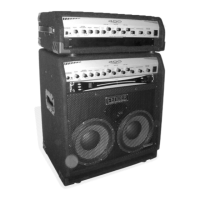
Your new 400 Pro™ bass amplifier delivers world-class
Fender
®
tone and world-standard Fender
®
quality:
• 350 Watts output power into 4Ω
• 3-BAND SEMI-PARAMETRIC EQUALIZER
• EQ ON/OFF from the front panel or remote footswitch
• EQ GAIN for equal or alternate EQ on/off volume levels
• ROOM BALANCE compensates for dark or bright acoustics
• ENHANCE emphasizes bass and treble frequencies
• BASS/TREBLE traditional tone controls
• COMPRESSOR provides variable sound smoothing
• Amplifier MUTE allows silent inline instrument tuning with
your tuner plugged into TUNER OUT
• EFFECTS SEND/RETURN jacks for connecting your effects
device or auxilliary amplifier
• PASSIVE/ACTIVE switch accomodates high–output basses
• Balanced XLR LINE OUT jack with LEVEL control, GROUND
LIFT and PRE/POST EQ selector for output to sound
reinforcement or recording equipment
Thank you for choosing Fender
Thank you for choosing Fender
®
®
—T
—T
one, T
one, T
radition and Innovation—since 1946
radition and Innovation—since 1946
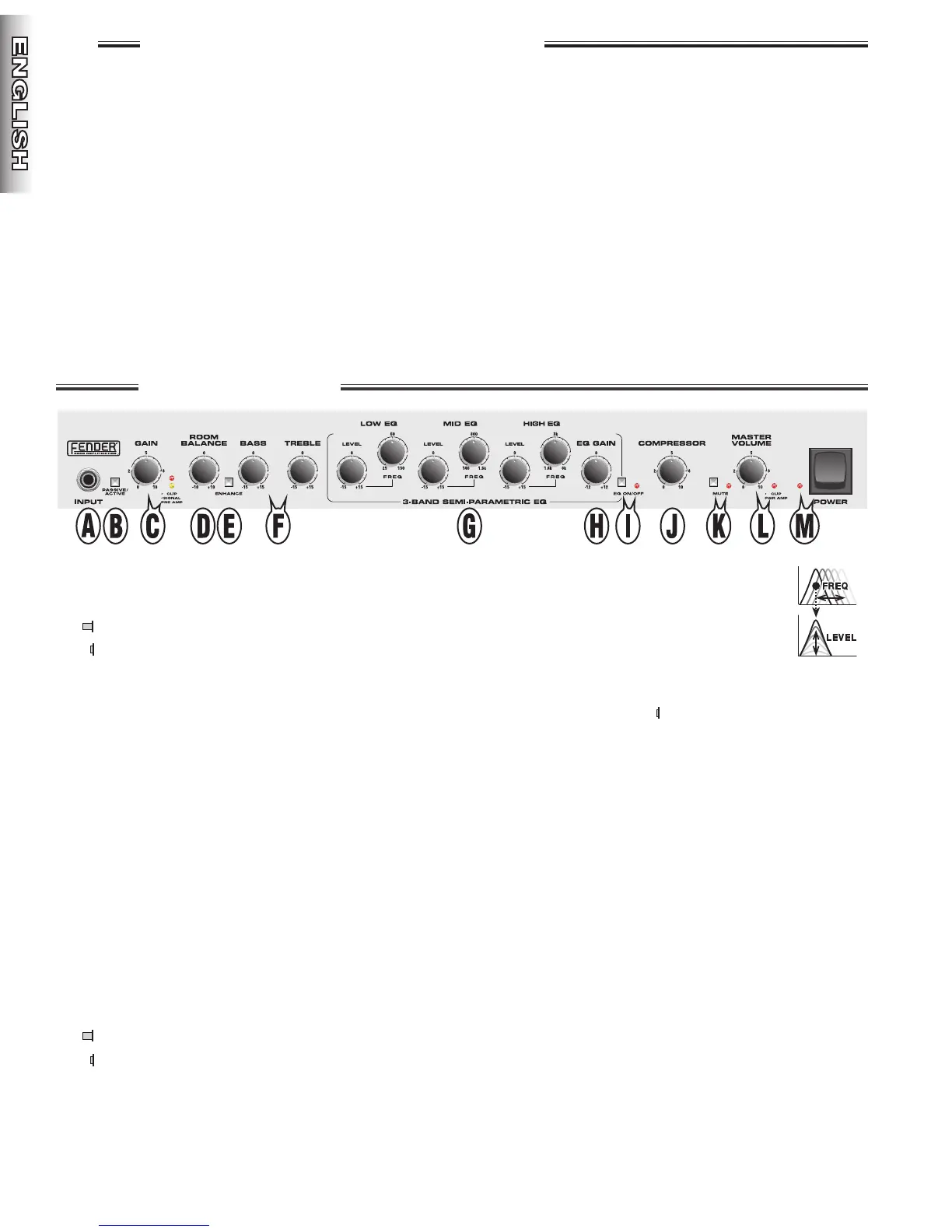
A. INPUT - Plug your bass in here.
B. PASSIVE/ACTIVE - Selects pickup type (sensitivity):
PASSIVE - normal (full input sensitivity)
ACTIVE - pre–amplified (low input sensitivity)
C. GAIN - Adjusts the preamp signal level. Use together with
MASTER VOLUME {L} to set the overall amplifier
loudness. Watch the PRE AMP LEDs to determine the
optimal GAIN setting:
PRE AMP CLIP - Indicates preamp clipping
(distortion). Occasional flashing is normal at peak playing
intensities – reduce GAIN if unwanted distortion is heard
while this LED is on.
PRE AMP SIGNAL - Indicates the presense of
sufficient signal strength. Constant illumination is normal
at moderate playing intensities – increase GAIN and/or
your instrument volume if this LED is off or only flashing.
D. ROOM BALANCE - Rotate clockwise for treble emphasis
to compensate for soft acoustic surfaces (carpet/drapes).
Rotate counter–clockwise for bass emphasis to
compensate for hard acoustic surfaces (cement/tile).
E. ENHANCE - Boosts low and high frequencies.
OFF - Useful for finger–style bass playing
ON - Useful for slap–style/deep–tone bass playing
F. BASS/TREBLE - Adjusts tone in low/high frequency
bands respectively.
G. SEMI-PARAMETRIC EQUALIZER - Adjusts
tone in three variable frequency bands. Each
FREQ knob selects the frequency range that
the corresponding LEVEL knob adjusts.
NOTE: The EQ has no effect when all LEVEL
knobs are set to “0.”
H. EQ GAIN - Adjusts the signal level of the semi-parametric
equalizer circuit (when EQ ON/OFF is in). Useful for
setting a balance between EQ on and off volume levels.
I. EQ ON/OFF - Switches the semi-parametric equalizer
on/off as indicated by the LED.
J. COMPRESSOR - Compresses the dynamic range of the
signal to smooth volume peaks and increase sustain.
Rotate fully counter-clockwise to disable the compressor.
K. MUTE - Disables all amplifier outputs except for TUNER
OUT. LED flashes when MUTE is active.
L. MASTER VOLUME - Adjusts overall amplifier loudness in
conjunction with GAIN {C}. Watch the PWR AMP LED to
determine the optimal MASTER VOLUME setting.
PWR AMP CLIP - Indicates power amp clipping
(distortion). Occasional flashing is normal at peak playing
intensities. Reduce MASTER VOLUME if unwanted
distortion is heard while this LED is on.
M. POWER - Switches the unit on/off as indicated by the LED.
6
FF
FF
ee
ee
nn
nn
dd
dd
ee
ee
rr
rr
®
44
44
00
00
00
00
PP
PP
rr
rr
oo
oo
//
//
44
44
00
00
00
00
PP
PP
rr
rr
oo
oo
HH
HH
ee
ee
aa
aa
dd
dd


 To Next Page
 Loading...