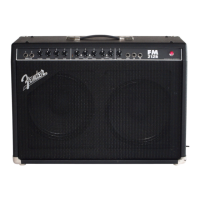
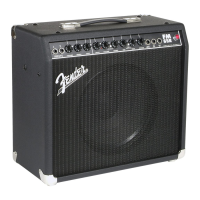
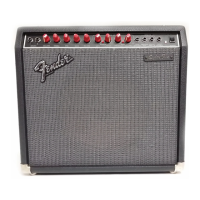
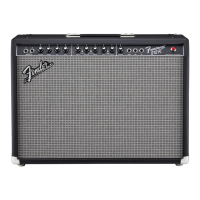
Frontman™ 212R Amplifier
6
f e n d e r . c o m
INPUTS
1 2
VOLUME
TREBLE BASSMID
VOLUME
TREBLE BASSMID
DRIVE
REVERB
FOOT
SWITCH
PRE
OUT
PWR
IN
F EN D E R MUSIC A L I N ST R U M E N T S
CH SELECT MID
CONTOUR
MORE DRIVE
TREBLE
MID BASS
INPUTS
1 2
VOLUME
TREBLE BASS
DRIVE
VOLUME
REVERB
CH SELECT
FOOT
SWITCH
PRE
OUT
PWR
IN
F E ND E R M U SI C A L I NS T R UM E N TS
MID
CONTOUR
Your new Frontman 212R amplifier delivers world–class
Fender
®
tone and world–standard Fender
®
quality:
• 100W output power into 4 ohms
• Selectable Normal and Drive channels with
independent volume and tone controls
• MORE DRIVE pre-amp boost for instant gain saturation
and harmonically rich leads
• MID-CONTOUR button allows for many different
variations in distortion—from Rock to Blues to Metal
to whatever!
• Classic Fender
®
spring Reverb
• Fender
®
“touch-sensitive” circuit design simulates
the feel of tube distortion
• PRE-AMP OUT and POWER-AMP IN jacks allow you
to connect external effects devices, other amplifiers or
sound/recording equipment to your Frontman 212R
• FOOTSWITCH jack for use with the 2-button Fender
®
footswitch (included). The footswitch provides remote
channel selection and drive/more drive switching
Thank you for choosing Fender
®
—The World’s most
popular instrument amplifiers—since 1946
A. INPUT - Plug your guitar in here. INPUT 1 is
normal sensitivity for most guitars, INPUT 2 is
lower sensitivity for guitars with high output (active)
pickups.
B. VOLUME - Adjusts the loudness of the Normal
channel.
C. TREBLE/MID/BASS - Adjusts the high-, middle-,
and low-frequency tones of the Normal channel.
D. DRIVE CHANNEL INDICATORS -
Yellow LED ON
Ôn
Drive channel is active
Red LED ON
Ôn
More Drive channel is active
E
.
DRIVE - Adjusts the distortion level of the Drive
channel. Use together with VOLUME-{G} to adjust
the overall loudness of the Drive channel.
F. CHANNEL SELECT -
Button OUT
selects the Normal channel
Button IN
selects the Drive channel
G. VOLUME - Adjusts loudness of the Drive channel
together with DRIVE {E}.
H. MORE DRIVE - Boosts the intensity and range of the
DRIVE control {E}.
Button OUT selects the Drive channel
Button IN
selects the More Drive channel
I. TREBLE/MID/BASS - Adjusts the high-, middle-,
and low-frequency tones of the Drive channel
J
.
MID-CONTOUR - Activates a “scooped” midrange
EQ useful for modern distortion sounds in the Drive
channel.
K. REVERB - Adjusts the Reverb level for both
channels.
L. FOOTSWITCH - Connect the 2-button Fender
®
footswitch (included) to this jack to enable remote
switching of CH SELECT, and DRIVE/MORE DRIVE.
When plugged in, the footswitch overrides the
corresponding panel buttons.
M. PRE OUT/PWR IN - (1) Effects Loop - Connect PRE
OUT to an effects device input, then connect the
effects device output to PWR IN. (2) Multiple Amps
- Connect the primary unit’s PRE OUT to the auxiliary
unit’s PWR IN. The primary unit is used to control
all auxiliary units. (3)‑Recording or Reinforcement
- Connect PRE OUT to sound equipment’s input.
Both jacks use a TS (Tip-Sleeve) standard
type plug for connections. PRE OUT includes onboard
tone shaping.
N. POWER INDICATOR - Lights up when the amplifier
is on.
O. POWER
- Switches the amplifier on and off.
P. POWER CORD SOCKET - Connect
the included power supply cord in
accordance with the voltage and
frequency ratings listed on the rear
panel of your amplifier.


 To Next Page
 Loading...