13
fender.com
Premi il tasto
QUICK ACCESS per accedere all'omonima
modalità (QA). In questo ambiente operativo potrai scorrere
tutte le
tracce Band disponibili in G-DEC e nella card SD, per
poterle quindi eseguire all'istante premendo il tasto
START-
STOP e usando uno dei preset Quick Access (QA1, QA2, QA3).
Per modificare i preset QA, tieni premuto uno dei
tasti Soft
corrispondente al preset QA desiderato e ruota la
manopola
Encoder per selezionare un nuovo preset.
Non dimenticare di visionare i
Video Tutorial e di consultare
il
Manuale d'uso contenuti nel
DVD incluso, per conoscere
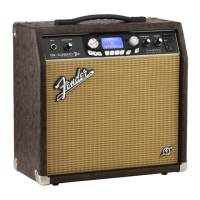
tutto l'incredibile potenziale offerto da G-DEC 3. Accedi al
sito web http://www.fender.com/gdec3/support per
il supporto tecnico e gli ultimi aggiornamenti.
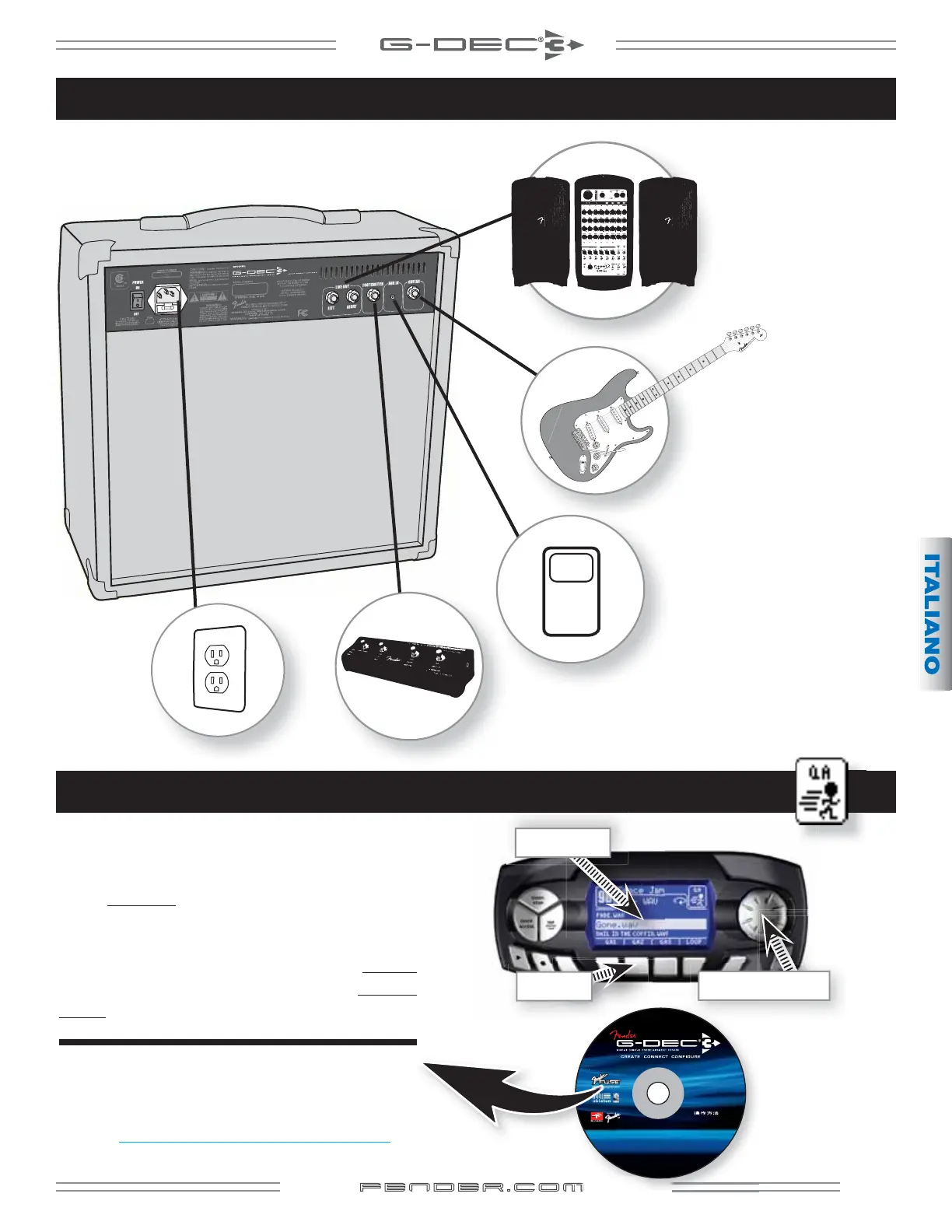
Collega il tuo lettore mp3,
utile per eseguire tracce
d'accompagnamento
tramite G-DEC 3.
Collega una seconda chitarra.
Collega G-DEC 3 al sistema
di sound-reinforcement o di
registrazione.
Collega l'unità footswitch Fender ULT-4 (opzionale)
(P/N 0994070000).
Collega ad
una presa di
corrente con
messa a terra.
Modalità Quick Access
TRACCIA BAND
TASTI SOFT
MANOPOLA ENCODER
mp3
© 2009 FMIC. Fender
®
, G-DEC
®
, Stratocaster
®
, Strat
®
and the distinctive headstock of the Stratocaster
guitar are trademarks of Fender Musical Instruments Corporation. All rights reserved.
DVD-ROM INCLUDES:
Live Lite 8 Fender Edition
AmpliTube Fender LE
OWNER’S MANUAL
INSTRUCCIONES DE
FUNCIONAMIENTO
MODE D’EMPLOI
ISTRUZIONI OPERATIVE
BEDIENUNGSANLEITUNG
MAUNUAL DE INSTRUCÕES
G-DEC 3 MANUAL.pdf
and FUSE MANUAL.pdf
TUTORIAL VIDEOS
D
D-R
I
L
Fen
er E
Am
iTu
e Fen
er






 To Next Page