T
ROUBLESHOOTING
• S
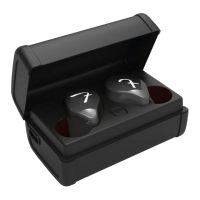
oft reset: If your TWS are not responding or connecting
intermittently, place them in the charging case, close the
lid for at least 5 seconds and plug the case into charge.
This will turn the TWS off and perform a soft reset.
• Factory reset: If that does not resolve the issue, we
recommend resetting the TWS to their original factory
settings. Before starting this process please “FORGET” or
“REMOVE” your Fender® Tour device from the Bluetooth
menu on all your connected audio devices.
• Pla
ce both TWS in the charging case and close the lid.
• Open the charging case, press & hold the case button until
the case LED starts blinking green (about 8-12 seconds)
• Release the button,close the case and wait for 5 seconds.
• The Tour has been reset and is ready to pair.


 To Next Page