7
2
3
!
Routine Cleaning
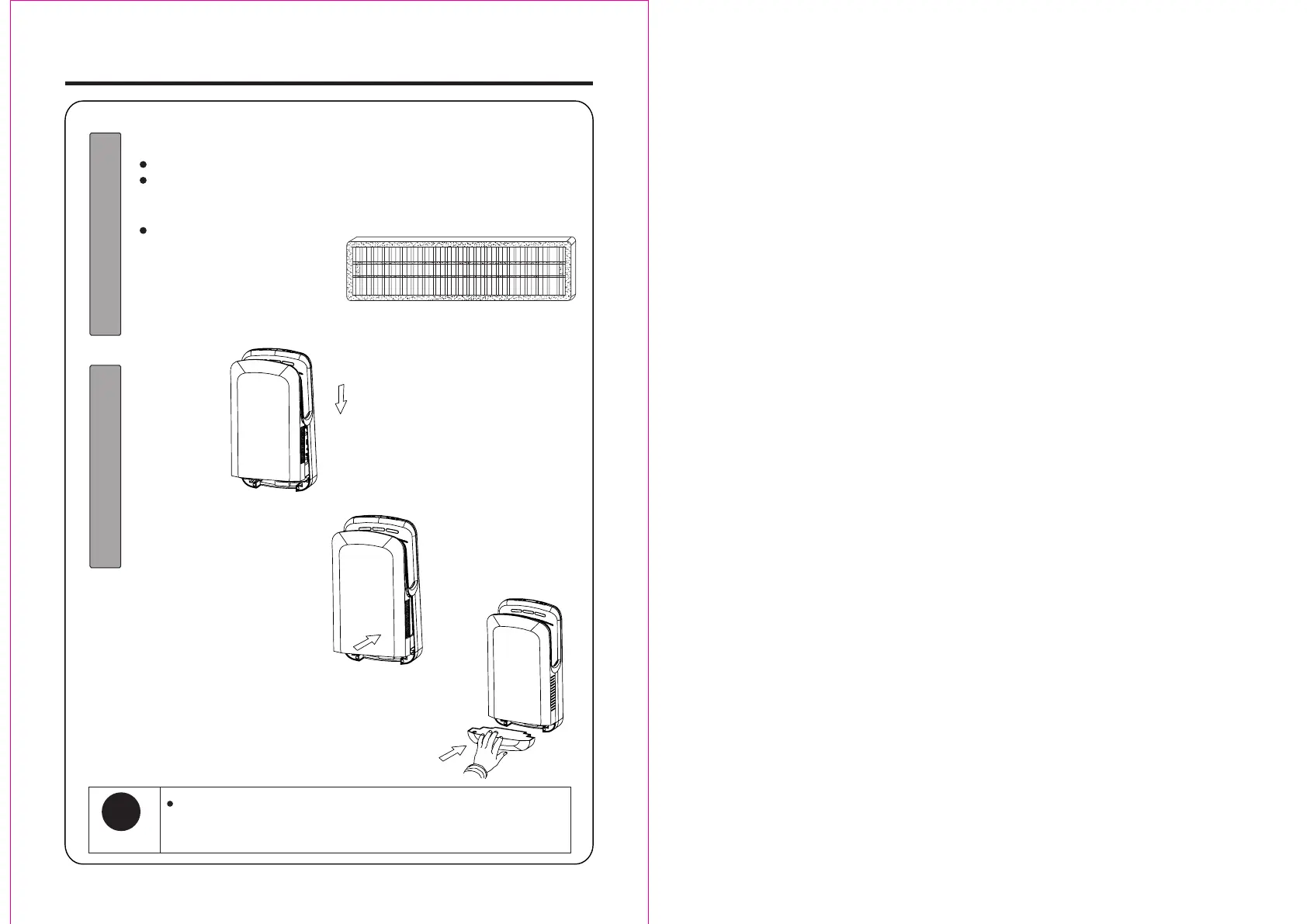
1.Cleaning the dirty from the air filter
Tap gently by hand or use a vacuum cleaner to remove the dust
If the air filter is particularly dirty, please replace it.
2. Re-attach to the unit. (As the original)
Reinstall the cotton filter (both the
left and right sides) securely into
the securing slot in the top panel.
Push it all the way inward, until it
stops. (Dirt and dust may get into
the unit and shorten its working
life if the air filter is out of position.)
Re-attach to
the unit.
(As the original)
Align the securing slot in the
top, press downward it.
After confirming it in place, press
down the bottom (as the arrow
direction shown), until the sound
“click” appears.
Reinstall the drain tank
Press down the front panel (higher than the top of unit), keep
balance with the unit (at both left and right sides), until the
sound “click”
Note


 To Next Page