
 Need help?
Do you have a question about the Fenton 351.1833 and is the answer not in the manual?
Covers placement, power, environment, maintenance, and installation safety for the device.
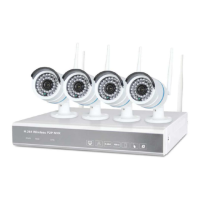
Illustrates the overall system connection setup for cameras, NVR, and monitor.
Explains the procedure for logging into the NVR system.
Guides on using the setup wizard, including mobile app QR codes.
Covers configuring general settings like time zone, date, time, and language.
Allows users to configure recording modes based on time, motion, or sensor events.
Guides on setting up network parameters like DHCP, IP address, and PPPoE.
Detailed guide to configure network settings such as DHCP, IP, Gateway, and DNS.
Configuring the system to record only when motion is detected.
Setting up recording triggered by sensor events.
Retrieving and reviewing video footage based on recording type and time.
Instructions for upgrading the NVR software via USB storage.
Connecting to the NVR using a web browser on a local network.
Steps for remotely accessing the NVR via the internet using a PC.
Instructions for downloading and using the mobile app for remote NVR access.
 General
| Brand | Fenton |
|---|---|
| Model | 351.1833 |
| Category | Security Camera |
| Language | English |

 To Next Page