EasyManua.ls Logo

Fenton RP115 Series - User Manual

Fenton RP115 Series
20 pages
Print Icon
To Next Page IconTo Next Page
Loading...
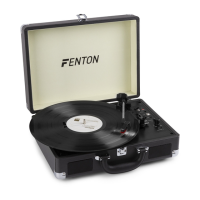
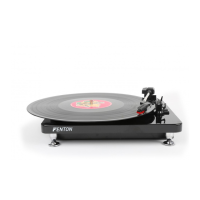
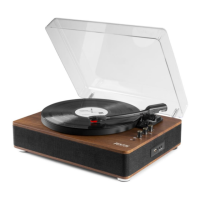
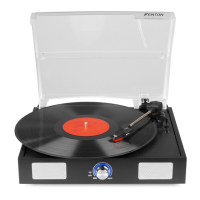
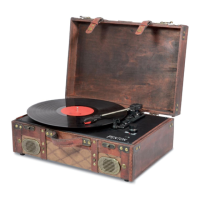
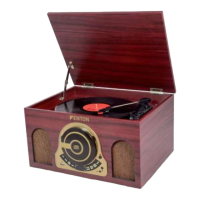
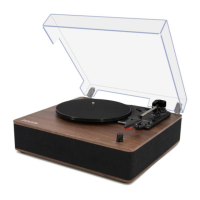
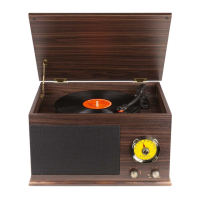
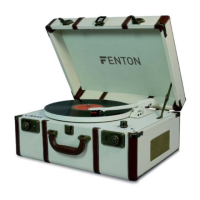
RP115 Series Record Player Briefcase
Ref. nr.: 102.106; 102.107; 102.108; 102.110
INSTRUCTION MANUAL
GEBRUIKSAANWIJZING
BEDIENUNGSANLEITUNG
MANUAL DE INSTRUCCIONES
MANUEL D'INSTRUCTIONS
V2.1
Question and Answer IconNeed help?

Do you have a question about the Fenton RP115 Series and is the answer not in the manual?

Summary

OVERVIEW

Line output

Audio output for vinyl records, must not be connected to phono level devices.

DC IN port

Connects the 5Volt/DC power adaptor to the unit.

Tone arm Lever

Mechanism to raise and lower the tonearm.

USB port

Connects turntable to computer for audio transfer via USB cable.

33;45;78 RPM Switch

Controls the playback speed of the turntable platter.

Line input

Connects external audio sources like CD players or media players.

Phono; BT Switch

Selects the input source between Phono and Bluetooth modes.

Autostop Switch ON;OFF

Enables or disables the automatic stopping of the turntable.

Power & volume control knob

Powers the unit on/off and adjusts volume for speakers and headphones.

Headphone input

3.5mm jack connector for plugging in headphones.

LED indicator

Indicates the operational status of the unit.

Arm Clip

Secures the tonearm when at rest or not in use.

Cartridge with needle

Contains the stylus for playing vinyl records.

Tone arm

Holds the cartridge and needle, can be raised or lowered by hand.

Platter

The rotating surface where vinyl records are placed.

45 RPM Adaptor

Adapter that allows playing 45RPM records.

OPERATION

BT CONNECTION

CONNECTING WITH COMPUTER

To Install Software (PC)

Step-by-step guide for installing Audacity software on a PC.

To Install Software (MAC)

Step-by-step guide for installing Audacity software on a Mac.

SOFTWARE CONFIGURATION

Instructions on configuring Audacity for audio recording.

TECHNICAL SPECIFICATION

Summary

OVERVIEW

Line output

Audio output for vinyl records, must not be connected to phono level devices.

DC IN port

Connects the 5Volt/DC power adaptor to the unit.

Tone arm Lever

Mechanism to raise and lower the tonearm.

USB port

Connects turntable to computer for audio transfer via USB cable.

33;45;78 RPM Switch

Controls the playback speed of the turntable platter.

Line input

Connects external audio sources like CD players or media players.

Phono; BT Switch

Selects the input source between Phono and Bluetooth modes.

Autostop Switch ON;OFF

Enables or disables the automatic stopping of the turntable.

Power & volume control knob

Powers the unit on/off and adjusts volume for speakers and headphones.

Headphone input

3.5mm jack connector for plugging in headphones.

LED indicator

Indicates the operational status of the unit.

Arm Clip

Secures the tonearm when at rest or not in use.

Cartridge with needle

Contains the stylus for playing vinyl records.

Tone arm

Holds the cartridge and needle, can be raised or lowered by hand.

Platter

The rotating surface where vinyl records are placed.

45 RPM Adaptor

Adapter that allows playing 45RPM records.

OPERATION

BT CONNECTION

CONNECTING WITH COMPUTER

To Install Software (PC)

Step-by-step guide for installing Audacity software on a PC.

To Install Software (MAC)

Step-by-step guide for installing Audacity software on a Mac.

SOFTWARE CONFIGURATION

Instructions on configuring Audacity for audio recording.

TECHNICAL SPECIFICATION

Fenton RP115 Series Specifications

General IconGeneral
Drive systemBelt drive
USB outputYes
Auto StopYes
TypeBelt Drive
Speed33 1/3, 45 RPM
Output ConnectionsRCA

Related product manuals