4
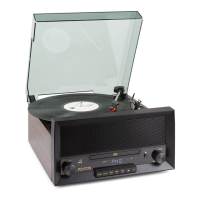
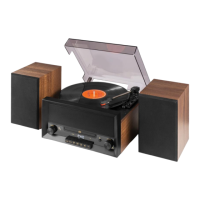
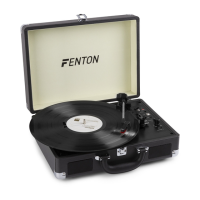
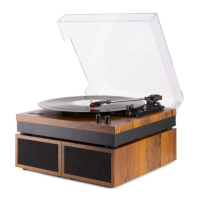
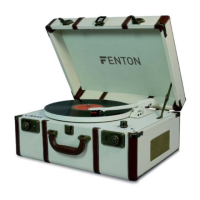
OVERVIEW
1. Record button
2. Program button
3. USB port
4. Volume - / Previous button
5. Stop button
6. LED display
7. Play / Pause button
8. Volume + / Next button
9. Repeat / Folder + button
10. Headphone input
11. Power ON/OFF button
12. Mode button
13. CD door open button
14. CD cover
15. Spindle
16. Platter
17. 45RPM adaptor
18. Tone arm
19. Speed switch
20. Tone arm lock
21. RCA output port---connect
the external speaker
system with power
amplifier built-in
22. AUX Input port
23. DC Input port
OPERATION
Listen to FM radio
Press “MODE” button till the letters FM display on the LED display.
Press “PLAY” button for 2 seconds, the auto scan starts and the stations searched will be saved.
Press “PREV” button or “NEXT” button to switch between the saved stations.
FM reception can be improved by adjusting the FM Antenna on the rear.
Playing a CD
To listen to an audio CD, press “MODE” button till the letters CD display on the LED display, press CD door “OPEN”
button to open the CD door. Place the CD disk inside, press CD door back to close it, the disc will started playing once
loaded.
To pause playback press the “PLAY/PAUSE” button, to continue playback press “PLAY/PAUSE” again.
To stop playback press “STOP” button.
To increase the volume, press and hold “VOL+” button. To decrease the volume, press and hold “VOL-“ button.
To skip backwards through tracks, press “PREV” button. To skip forwards through tracks press “NEXT” button.
To repeat the current track playing press “REPEAT” button, to repeat the whole disc press “REPEAT” button again, to
cancel repeat press “REPEAT” button again.
At the “STOP” status, press the “PROG” button, the letters P01 will display on the LED display. Press “PREV” or
“NEXT” button to select the next song you want to listen to, then press the “PROG” button, the letters P02 will display
on the LED display. You can select next songs in this way. After selection, press “PLAY” button and you can listen to
the songs selected.
Playing from USB drive
In order to playback some MP3 files, you will need to connect a USB memory stick(up to 32GB is supported). Insert a USB
memory stick gently into USB port.
! IMPORTANT !
Never connect and disconnect USB devices quickly in succession as this may cause damage to both the record player and the
memory device. Always ensure any important data has been backed up before use. Fenton take no responsibility for any loss of
data.
To play from a connected USB device, press the “MODE” button till the letters USB display on the LED display. After
loaded, it will play from the first song.
To pause playback press the “PLAY/PAUSE” button, to continue playback press “PLAY/PAUSE” again.
To stop playback press “STOP” button.
To increase the volume, press and hold “VOL+” button. To decrease the volume, press and hold “VOL-“ button.
To skip backwards through tracks, press “PREV” button. To skip forwards through tracks press “NEXT” button.
To repeat the current track playing press “REPEAT” button, to repeat all the music press “REPEAT” button again, to
cancel repeat press “REPEAT” button again.
At the “STOP” status, press the “PROG” button, the letters P01 will display on the LED display. Press “PREV” or
“NEXT” button to select the next song you want to listen to, then press the “PROG” button, the letters P02 will display
on the LED display. You can select next songs in this way. After selection, press “PLAY” button and you can listen to
the songs selected.
Playing a vinyl record
Before playing a record please unlatch the Tone Arm Lock and remove the cartridge protector from the
cartridge/needle.
To play a vinyl record, press “MODE” button till the letters PHONO display on the LED display. Place the record on the
turntable platter, select the speed required using the speed switch, then gently place the needle on the record, the
turntable will start spinning when the tone arm is in position.
Besides the Speed selector, there is an “AUTO STOP ON/OFF” Switch. If the AUTO STOP ON/OFF Switch is turned
ON, the record will stop automatically when finished. If Auto Stop Control is turned OFF, record will NOT stop
automatically when finished.
To increase the volume, press and hold “VOL+” button. To decrease the volume, press and hold “VOL-“ button.
Listen to an external source
To listen to an external source, such as an MP3 player or smartphone, connect a suitable cable (3.5mm jack to 3.5mm jack, not
included) to the AUX IN port, and press “MODE” button till the letters AU display on the LED display, then the playback starts.
To increase the volume, press and hold “VOL+” button. To decrease the volume, press and hold “VOL-“ button.


 To Next Page
 Loading...