
 To Next Page
R
Roger TaylorAug 2, 2025
How to fix no power on my Ferguson REGENT DVD D-1000 Karaoke System?
- CchoimarkAug 2, 2025
If your Ferguson Karaoke System has no power, ensure the power cord is correctly connected to a working wall outlet.

How to fix no power on my Ferguson REGENT DVD D-1000 Karaoke System?
If your Ferguson Karaoke System has no power, ensure the power cord is correctly connected to a working wall outlet.
What to do if the Ferguson Karaoke System remote control is not working?
If the remote control for your Ferguson Karaoke System isn't working, try these steps: 1. Point the remote directly at the infrared sensor on the DVD player. 2. Ensure you are within 5 meters of the unit. 3. Remove any obstacles between the remote and the unit. 4. Replace the batteries with fresh ones.
Why is there no picture on my Ferguson REGENT DVD D-1000 Karaoke System?
If you're not getting a picture on your Ferguson Karaoke System, make sure the TV is turned on, the correct picture input is selected on the TV, and the picture connector is correctly connected to the TV.
How to troubleshoot no sound on Ferguson REGENT DVD D-1000 Karaoke System?
If you're experiencing no sound with your Ferguson Karaoke System, first check the audio connections. If you're using an AV receiver, try a different connector or adjust the input settings.
What to do if Ferguson REGENT DVD D-1000 DVD player does not start playback?
If your Ferguson Karaoke System's DVD player won't start playback: 1. Ensure a disc is inserted. 2. Verify the disc is in a supported format. 3. Clean the disc. 4. Make sure the disc is inserted correctly. 5. Check and disable or adjust the age lock settings.
Why is there a humming or noise coming from my Ferguson REGENT DVD D-1000 Karaoke System?
If you hear humming or noise from your Ferguson Karaoke System, try these solutions: 1. Clean the device with a cloth moistened with alcohol. 2. Clean the disc. 3. Ensure the speakers and their components are correctly connected. 4. Move the TV away from the audio equipment.
What causes distorted color on a Ferguson Karaoke System?
If the color is distorted or not displayed on your Ferguson Karaoke System, verify that the color system setting matches that of your TV set. If the picture is distorted or smudged, check the color system.
Information regarding the purpose and content of the user manual.
Explains the meaning of various symbols and labels applied to the receiver.
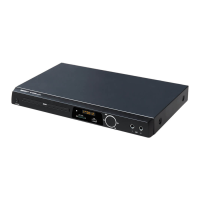
Details the primary functions and capabilities of the DVD player.
Lists all items included in the product packaging.
Provides essential guidance for the safe and correct operation of the device.
Explains the function of each button on the remote control unit for device operation.
Illustrates and labels the front and rear panels of the DVD player.
Instructions for connecting the DVD player to a power source.
Details methods for connecting audio and video outputs to televisions or audio systems.
Instructions for loading DVD/CD discs, SD cards, and USB drives.
 General
| Brand | Ferguson |
|---|---|
| Model | REGENT DVD D-1000 |
| Category | Karaoke System |
| Microphone Inputs | 2 |
| USB Port | Yes |
| Remote Control | Yes |
| Display | LED |
| Supported Media | DVD, CD |
| Karaoke Features | Key Control |