6
EN
Fig. B
Only use cutters with a shaft diameter which
corresponds with the size of the collet. Only use
cutters which are suited for the maximum speed
of the machine. The cutter diameter should not
exceed the maximum diameter (see ‘Technical
specications’).
Never tighten the collet nut, if there is no router bit
in the collet; the collet may be damaged.
• Pressthespindlelock(7)andturnthecollet
nut (6) until it engages in the lock. Keep the
spindle lock pressed during this procedure.
• Openthecolletnutusingthespanner.
• Placethecuttershaftinthecollet.
• Tightenthecolletnutsothatthecutteris
locked properly.
• Openthecolletnutwhenyouwanttoreplace
a cutter.
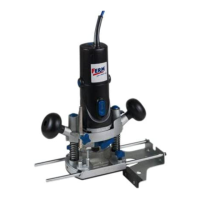
The parallel fence is a useful tool for precision
routingataxeddistancefromtheedgeofthe
workpiece.
• Placethedesiredcutterinthetool.
• Slidetheparallelguidewiththeguiderodsinto
the baseplate and tighten at the required
measure with the wing bolts
Fig. D
The template guide is a handy aid for cutting a
pattern.
• Mountthetemplateguide(23)ontherouter
base (3) using the screws (22).
Fig. E & F
Usethedustadapterfortheextractionofdust.In
case the adapter is not mounted on the machine,
follow these instructions.
• Mountthedustadapter(24,Fig.E)withthe
screws (22) on the cutter sole (3).
• Placethedusttube(25)inthedustoutput(16
Fig. F).
• Placethetubeofyourvacuumcleaneronthe
dust tube (25, Fig. F).
Keep the outlet of the machine behind
the machine for a good view on the
workpiece.
• Toswitchonthetool,pressandholdtheon/off
switch (1, Fig. A1, page 2).
• Ifyoureleasetheon/offswitch(1,Fig.A1,
page 2), the tool will be switched off.
• Youcanlocktheon/offswitchbypressingthe
on/off switch (1, Fig. A1, page 2) and then
button (5, Fig. A1, page 2). The switch lock
canbereleasedbybrieypressingtheon/off
switch (1, Fig. A1, page 2).
• Donotputthemachinedownwhenthemotor
is still running. Do not place the machine on a
dusty surface. Dust particles may enter the
mechanism.
• Afterswitchingthemachineon,makesurethe
machine reaches full speed before using it on
the workpiece.
• Clamptheworkpieceandmakesurethatthe
workpiece cannot slide from under the
machine during the cutting activities.
• Holdthemachinermlyandmoveitevenly
over the workpiece. Do not force the machine.
• Onlyusecutterswhichdonotshowanysigns
of wear. Worn cutters have a negative effect
ontheefciencyofthemachine.
• Alwaysswitchoffthemachinerstbefore
removing the plug from the wall socket.
The required speed can be preselected with the
thumbwheel. Also during running the rotational
speed can be adjusted.
1 – 2 = low speed
3 – 4 = medium speed
5 – 6 = high speed
Max = maximum speed
The required speeds depends on the material and
can be determined by practical testing.
Furthermore router bits with a large diameter
need a lower rotational speed.



 To Next Page
 Loading...