Page 8
NOTES: It is only possible to delete a code if the associated position is known, based on
which we reiterate the importance of keeping a list with the position data, codes and actions
programmed on the system.
Deleting a code is irreversible, such that once a code has been deleted it cannot be recovered.
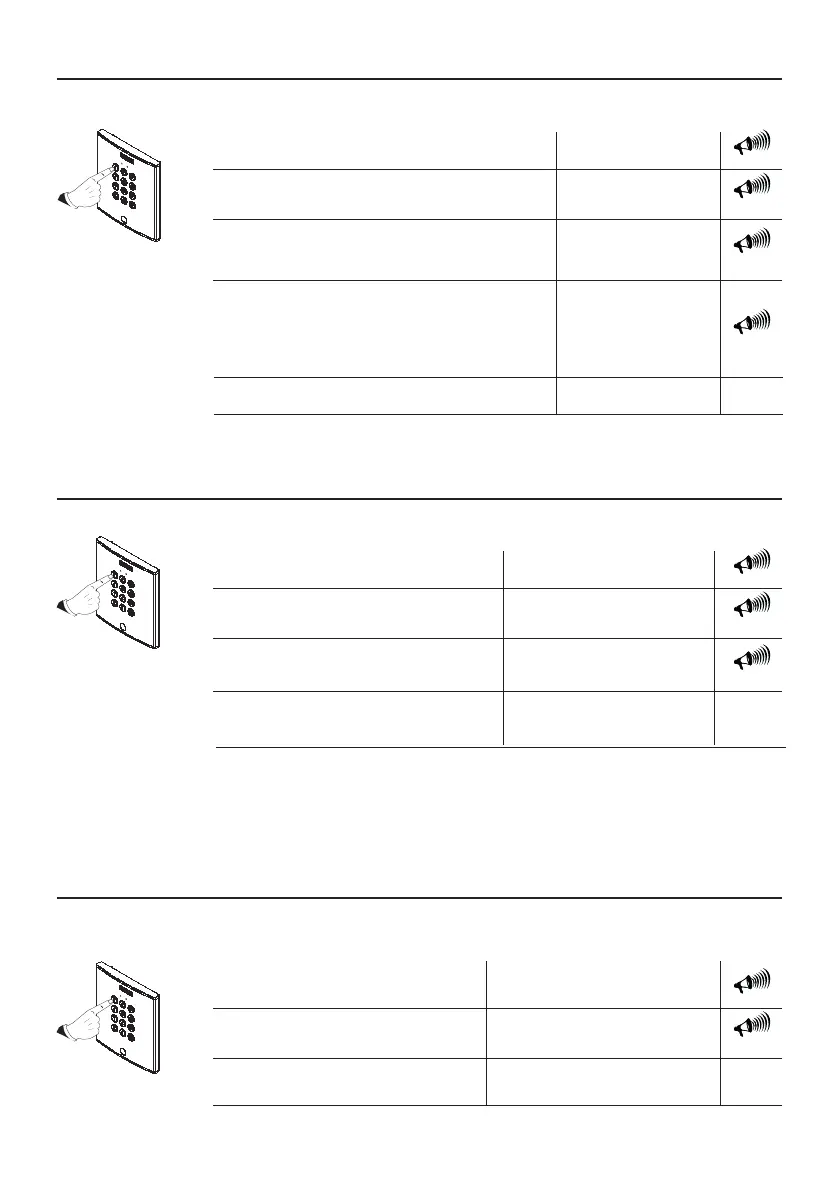
Deleting User Codes (AA)
It is possible to delete a specific user code. The procedure to follow is the following:
Master Code (1480)
1480 AA 00
1 Enter programming mode:
beep (x3)
Example:
Delete the access code saved in
the 00 position.
beep (x3)
00...99
Allows user codes to be changed by users themselves (A7)
Users can change their assigned access code for another code of their choice if they wish.
To do this the following option must be enabled.
Master Code (1480)
A7
1480 A7
1 Enter programming mode:
2 Enter the relevant option:
beep (x3)
Example:
Allows users change their
personal access code
beep (x3)
beep (x3)
AA
2 Enter the relevant option:
3 Enter the position of the access code
to be deleted in the system’s memory.
Add or Edit User Codes (00 .....99)
The codes are stored in the memory in sequence: position - code - action. Allows up to 100
access codes be stored.
NOTES: If the position to be recorded is already in use, the new code will replace the old one.
It is very important that a list is prepared of the codes, their positions and actions.
Master Code (1480)
00...99
New Access Code
1480 00 1111 1
1 Enter programming mode:
3 Re-enter the new access code:
2 Enter the position in the access
code’s memory:
beep (x3)
Example:
New access code 1111 saved in
the 00 position.
beep (x3)
(The code length must coincide with
that established on the system).
beep (x3)
1, 2 or 3
4 Enter the associated action:
1: The door will open. (Relay 1).
2: The auxiliary device will be activated (if exists). (Relay 2).
3: The door will open and the auxiliary device will be
activated simultaneously.
beep (x3)
NOTE: See the User Manual Section.


 To Next Page