APP SETTINGS
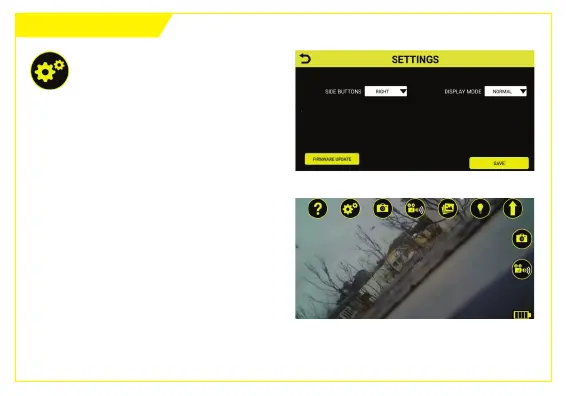
The Sengs screen allows you to do
the following:
1. Set camera and video buons to
appear on the le or right of the
main screen in the Ferret Tools App,
for easier one handed operaon.
Main screen with right hand
side-buons enabled
To access Sengs, tap the
Sengs buon.
If a rmware update for your Ferret
camera is available, the “Firmware
Update” buon will appear on the
boom le of the Sengs screen.



 To Next Page