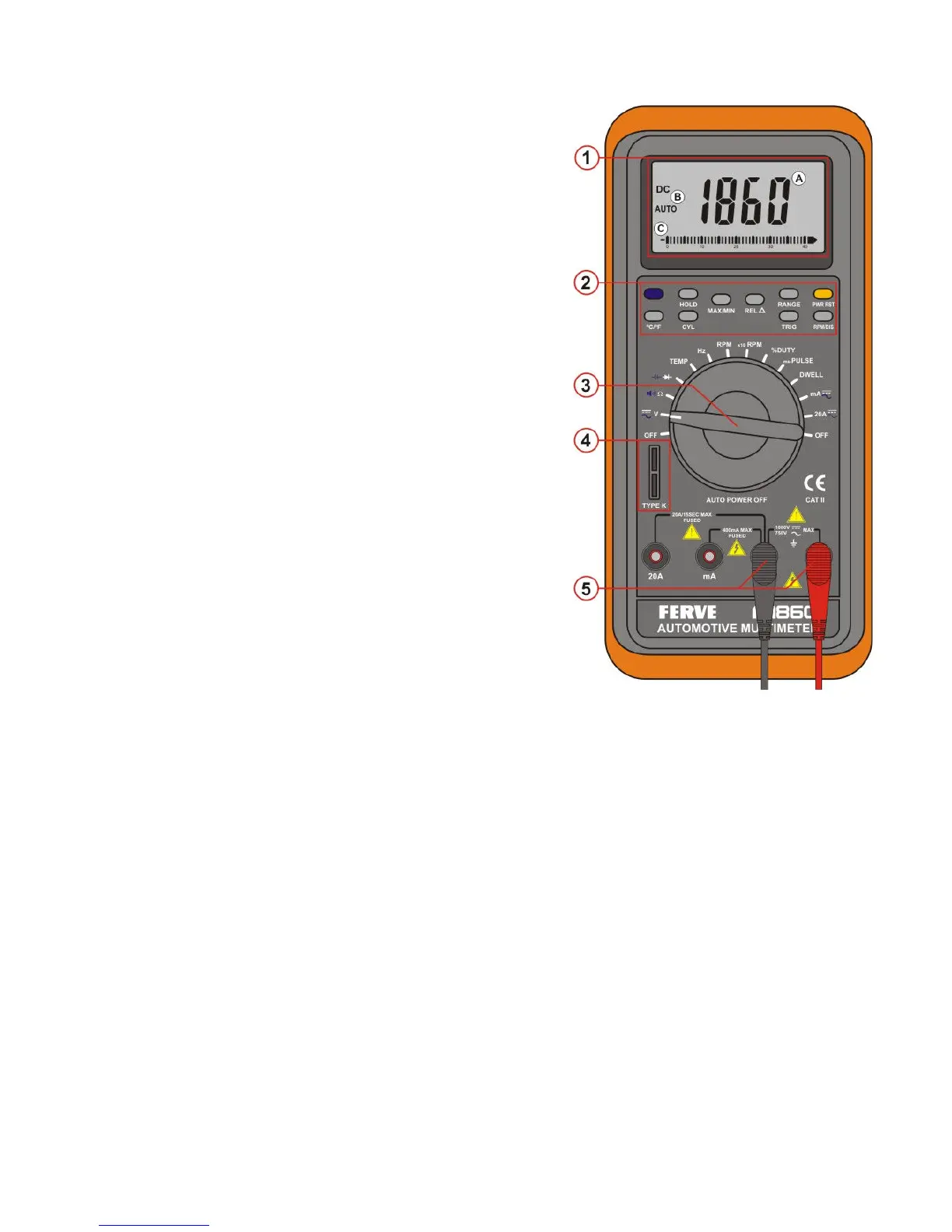
1. Digital and Analogue Display
Display features:
a. Four character digital display
b. Symbols indicating functions
c. Analogue bar graph
2. Function buttons
Press the button to select the desired function. A
symbol confirming your selection will appear.
3. Rotary Selector Switch
Use this switch to select a function or to turn off
the F-1860.
4. Temperature terminal
Insert the temperature probe into this terminal.
5. Test lead terminals
The black (-) test lead is used in the COM terminal
for all tests. The red (+) test lead is used to
measure Amps or Volts.
Automatic Deactivation feature
♦ Automatic Power Off after 30 minutes of inactivity.
♦ Automatic Power can be disactivated. This feature must be set when the
F-1860 is to record data over a period of time in excess of 30 minutes. In
order to disactivate the “Power Off” mode, keep the yellow “PWR RST”
button pressed while switching on the F-1860.
Digital and Analogue Display
∗ Press HOLD to maintain data on the display
∗ Press MAX/MIN to read maximum or minimum stored values
∗ Press REL∆ to read the differences between currently displayed reading
and stored reading.
∗ Press CYL to select number of cylinders after DWELL has been selected
with the rotary switch.
∗ Diode or continuity test.
∗ The F-1860 automatically selects the best range.
∗ Analogue bar graph with polarity display
∗ Press ºC / ºF to choose between degrees Celsius (ºC) or degrees
Fahrenheit (ºF).


 To Next Page
 Loading...