6
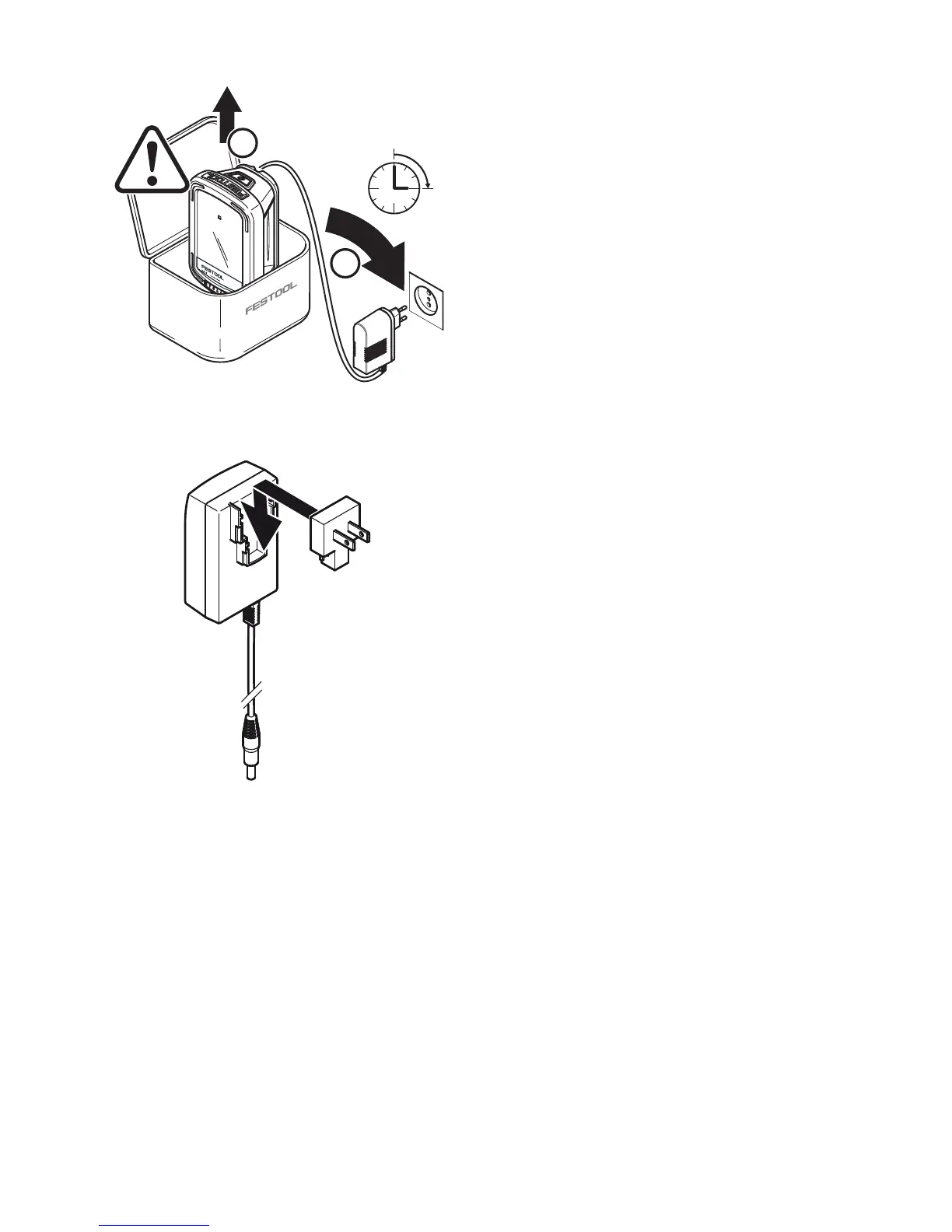
Insert the mains or vehicle charging
adapter into the connecting socket
[1-
4]
.
When the light is switched off, the
charging state indicator LED
[1-1]
dis-
plays the operating state of the internal
battery for the duration of the charging
process:
LED green - flashing quickly
Charging internal battery at maximum
rate.
LED green - flashing slowly
80% of internal battery capacity exceed-
ed.
LED green - continuous light
Internal battery is charged to 90% and
then charged fully at reduced power.
LED red - flashing
General fault indication, e.g. incomplete
contact, short circuit, battery faulty.
LED red - continuous light
Battery temperature is outside the per-
mitted range.
LED orange
Power failure mode, see
chapter 6.5
.
6.2 On/Off switch [1-2]
The ON/OFF switch
[1-2]
has three set-
tings:
– Press once -> Switch on in lighting
mode in energy-saving stage (Stage
1: 30%)
– Press twice -> Switch to max. lumi-
nosity (Stage 2: 100%)
– Press three times -> switch off
6.3 Voltage monitoring
If the minimum operating voltage is not
met during lighting mode with either in-
ternal or external battery pack, the de-
vice shifts to emergency mode. It reduc-
es luminosity and switches off after 2
minutes.


 To Next Page