Need help?
Do you have a question about the FEZIBO Electric Height Adjustable Desk and is the answer not in the manual?
Attaching the base legs to the lifting columns using M6*12 screws.
Connecting the support frame between the lifting columns with M8*30 screws.
Securing the crossbar between the lifting columns with specific tightening instructions.
Fastening the top mounting brackets to the lifting columns using ST5.0*12 screws.
Attaching the lifting columns to the desktop using ST5.0*12 screws.
Connecting the lifting columns to the desktop and each other with M6*12 screws.
Connecting the control box to the lifting columns and handset using M4.2*13 screws.
Mounting the handset and securing power/control cables with ST5.0*12 screws.
Instructions for adjusting height and saving/recalling memory presets.
Explanation of the desk's display screen and initial setup.
Identifying and resolving common error codes displayed on the handset.
Details on configuring sensitivity, units, and height limits.
Input voltage, frequency, and duty cycle for the control system.
Dynamic and maximum static load limits for the desk frame.
Crucial safety guidelines and precautions for product use.
How to register your product for warranty and contact support.
Instructions and encouragement for customers to share their experience.
This document provides installation instructions and operational guidelines for an electric height-adjustable desk, designed to offer ergonomic flexibility and convenience in various work environments. The desk's primary function is to allow users to easily switch between sitting and standing positions, promoting better posture and reducing the health risks associated with prolonged sitting.
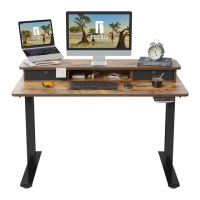
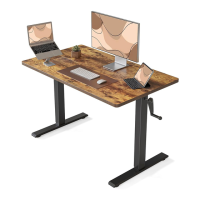
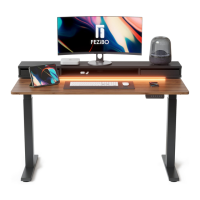
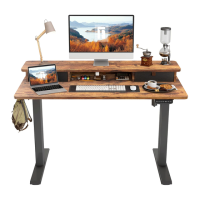
The electric height-adjustable desk is composed of a sturdy frame, two lifting columns, a control box, and a handset with a display screen. The core functionality revolves around its electric motor system, which enables smooth and quiet height adjustments. Users can raise or lower the desk to their preferred height using the intuitive handset controls.
The desk features a memory function, allowing users to save multiple preferred height settings. This is particularly useful for individuals who frequently switch between different working postures or for shared workstations where multiple users have distinct ergonomic requirements. Once a height is saved, a single press of the corresponding memory key will automatically adjust the desk to that specific position.
A key safety feature of the desk is its anti-collision system. This mechanism detects resistance during height adjustments and automatically reverses the desk's movement to prevent collisions with objects or persons. This helps protect both the desk and its surroundings from potential damage and ensures user safety.
The control system also includes error code display and troubleshooting guidance. In the event of a malfunction, the display screen on the handset will show a specific error code, such as "ER1" for motor stop or "ER3" for cable fault. The manual provides corresponding solutions, guiding users through steps like checking cable connections, power cycling the desk, or lightening the load on the desktop. This self-diagnosis capability simplifies maintenance and helps users resolve common issues without professional assistance.
The desk is designed for ease of use and adaptability. The handset, which serves as the primary interface, features "Up" and "Down" keys for continuous height adjustment, along with four memory keys (M1, M2, M3, M4) for saving and recalling specific heights. The display screen on the handset shows the current height value, providing precise control over the desk's position.
To adjust the desk's height, users simply press and hold the "Up" or "Down" key until the desired height is reached. For quick access to saved positions, a light touch on any of the memory keys (M1-M4) will prompt the desk to move to the pre-set height.
Saving a memory height is a straightforward process: once the desk is at the desired height, users press and hold the chosen memory key for approximately 5 seconds until a "di" sound is heard, indicating that the height has been successfully saved. This allows for personalized ergonomic settings that can be recalled instantly.
The advanced function settings, accessible via the M4 key, offer further customization. Users can adjust the sensitivity of the anti-collision system, switch between centimeter and inch display units, set a basic height, and define minimum and maximum height limits. These settings cater to individual preferences and specific environmental needs, enhancing the desk's versatility. For instance, adjusting the anti-collision sensitivity can be beneficial in environments where accidental bumps are more likely or where a higher degree of protection is desired. The ability to set minimum and maximum heights can prevent the desk from moving into undesirable ranges, such as hitting a low-hanging shelf or being raised too high for comfortable use.
The desk also incorporates a "HOT" warning, indicating that the motor has been running continuously for an extended period (2.5 to 5 minutes) and requires a cool-down period. This overload protection mechanism prevents motor damage and ensures the longevity of the desk's components. After the cool-down period, the desk automatically recovers and can be used again.
The manual emphasizes several aspects related to the maintenance and care of the desk to ensure its optimal performance and longevity.
One crucial aspect is the proper connection of all components. During assembly, users are instructed to ensure that all screws are tightened securely, especially those connecting the lifting columns to the frame and the feet. This ensures stability and prevents wobbling during height adjustments. The manual explicitly advises against overtightening screws in certain steps (e.g., Step 4) to allow for proper alignment before final tightening, highlighting the importance of following the assembly sequence.
Cable management is another important consideration. The instructions show how to correctly connect the motor cables, handset cable, and power cable to the control box. Proper cable routing and securing are essential to prevent tangling, damage, and interference with the desk's movement. The manual includes steps for attaching cable clips and the control box to the underside of the desktop, ensuring a neat and organized setup.
In case of error codes, the manual provides a troubleshooting table that guides users through potential solutions. For example, if an "ER3" (Cable fault) error appears, the user is advised to check if the motor cable is disconnected or broken and to power off and restart the desk. This empowers users to perform basic diagnostics and resolve minor issues themselves, reducing the need for professional service.
The "HOT" error, indicating motor overload, serves as a protective measure. When this error occurs, the desk automatically enters a protection mode, and the user is advised to allow the motor to cool down. This prevents overheating and extends the lifespan of the motor, demonstrating a built-in maintenance feature that safeguards the desk's core components.
The manual also implicitly suggests regular checks of connections and components. While not explicitly stated as a maintenance schedule, the troubleshooting section encourages users to inspect cables and power connections if errors arise. This proactive approach can help identify and address potential issues before they escalate.
The design of the desk, with its modular components, also facilitates potential repairs. If a specific part, such as a motor or the control box, needs replacement, the assembly instructions provide a clear understanding of how these components are integrated, potentially simplifying the process for a qualified technician.
Overall, the electric height-adjustable desk is designed with user convenience, safety, and durability in mind, offering a flexible and reliable solution for modern workspaces.
 General
| Frame Material | Steel |
|---|---|
| Type | Standing Desk |
| Motorized | Yes |
| Noise Level | < 50 dB |
| Control Type | Electric |
| Adjustability | Height |
| Color Options | Black, White, Brown |

 To Next Page