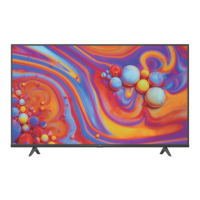
Need help?
Do you have a question about the FFALCON UF3 Series and is the answer not in the manual?
General safety instructions for operating the TV set and keeping for future use.
Critical safety warnings to prevent serious injury or death, especially to children.
Safety advice related to ventilation, internal parts, and cabinet handling.
Guidelines for safe use of power cords, plugs, and outlets.
Precautions for handling power and signal cables to prevent damage or tripping.
Recommended environmental conditions for TV operation and placement.
Instructions for safely cleaning the TV screen and cabinet.
Using the TV's built-in button for power, menu access, and selection.
Guidance on the welcome wizard for initial TV configuration.
Description of various TV input/output sockets like HDMI, AV, LAN.
Explanation of the functions of buttons on the TV remote control.
Step-by-step guide for installing batteries in the remote control.
Instructions for connecting the TV to a wired or wireless network.
Steps to power on the TV and its remote control, and switch off.
Methods for changing and selecting TV channels using the remote.
How to select and view content from connected external devices.
Steps to control the TV's volume and mute/unmute sound.
Navigating to and using the Smart TV interface for apps and websites.
Information on accessing and using the Google Play store for apps.
Accessing and navigating the TV's system settings menu.
Adjusting picture, sound, and other TV-specific settings.
Enabling a faster TV startup from standby mode.
Guide to searching and storing TV channels automatically.
Enabling, disabling, and selecting subtitle languages and types.
Accessing and using Teletext features, including language settings.
Instructions to enable remote TV wake-up via network.
Managing CEC devices connected via HDMI for auto power.
Using the MagiConnect app for smart device control and content sharing.
Accessing and navigating the on-screen guide for TV programs.
Connecting Bluetooth audio devices, mice, or keyboards to the TV.
Pausing, fast-forwarding, and rewinding live TV using a USB drive.
Recording TV programs using a connected USB drive.
Explanation of Hybrid Broadcast Broadband TV services and access.
Integrating the TV with Amazon Alexa devices.
Configuring Netflix settings for on-demand content.
Restoring TV to factory default settings.
Managing parental control passwords and super password.
Troubleshooting steps for network connection problems.
Solutions for choppy, stuttering, or unsupported video playback.
Addressing issues with recognizing multiple USB drives or external devices.
Troubleshooting no sound issues with USB video playback.
Important considerations and precautions during TV software updates.
General troubleshooting tips for common TV problems.
Resolving issues with no picture, no sound, or color problems.
Solutions for a non-functional remote control.
Addressing visual distortions like ripples, snowy dots, and ghosting.
Terms and conditions, disclaimers, and warranty information.

 To Next Page
 General