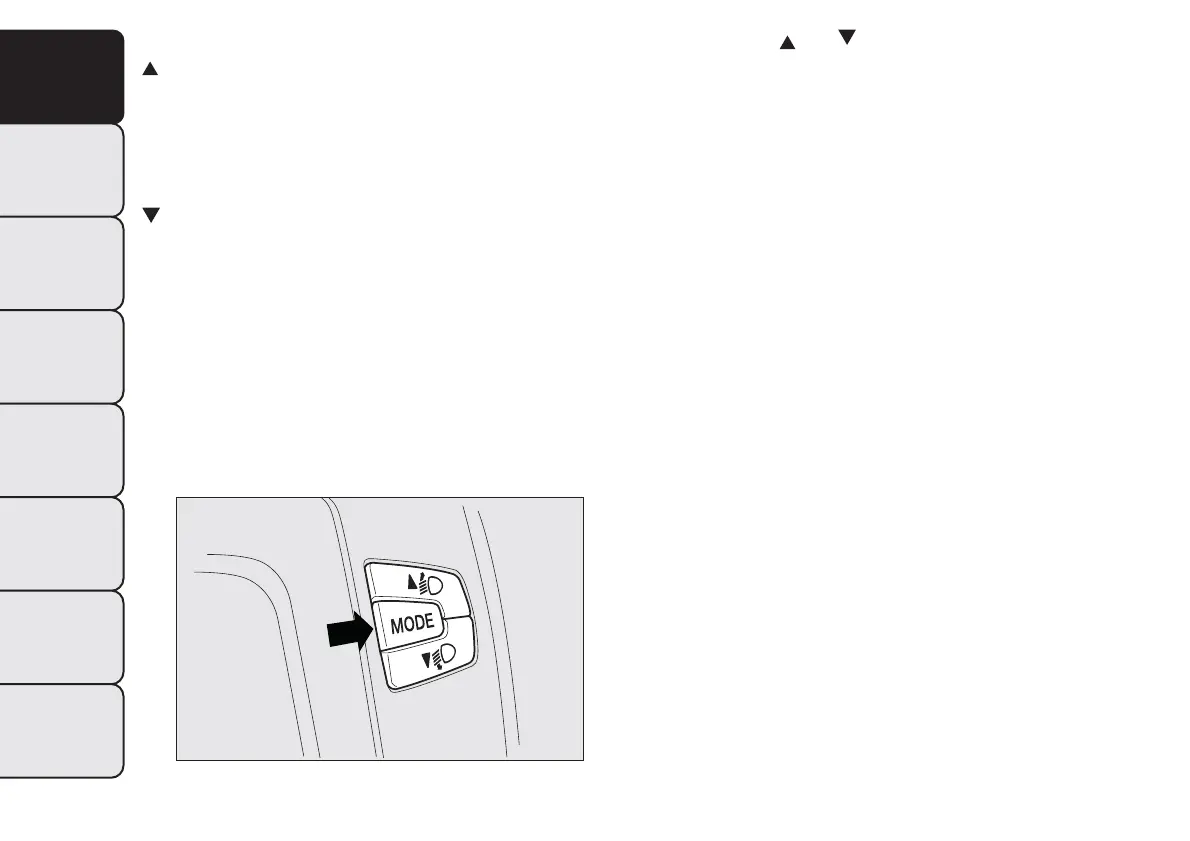
CONTROL BUTTONS
To scroll through the screen and the options
upwards or to increase the value displayed.
MODE
Press briefly to access the menu and/or go
to next screen or confirm the chosen menu
option. Hold down to go back to the
standard screen.
To scroll through the screen and the options
downwards or to decrease the value displayed.
Note Buttons
and activate different functions
according to the following situations:
❒ within the menu, they allow you to scroll up and
down through the options;
❒ during settings operations, they increase or
decrease values.
Note When opening one of the front doors, the
display will turn on and show for a few seconds the
time and the distance covered.
fig. 21
F0Q0643
28
GETTING TO
KNOW YOUR CAR
SAFETY
STARTING AND
DRIVING
WARNING LIGHTS
AND MESSAGES
IN AN EMERGENCY
SERVICING AND
MAINTENANCE
TECHNICAL
SPECIFICATIONS
INDEX


 To Next Page
 Loading...