37
SAFETY
DEVICES
CORRECT USE
OF THE CAR
WARNING
LIGHTS AND
MESSAGES
IN AN
EMERGENCY
CAR
MAINTENANCE
TECHNICAL
SPECIFICATIONS
INDEX
DASHBOARD
AND CONTROLS
TRIP A (GENERAL) - TRIP B (PARTIAL)
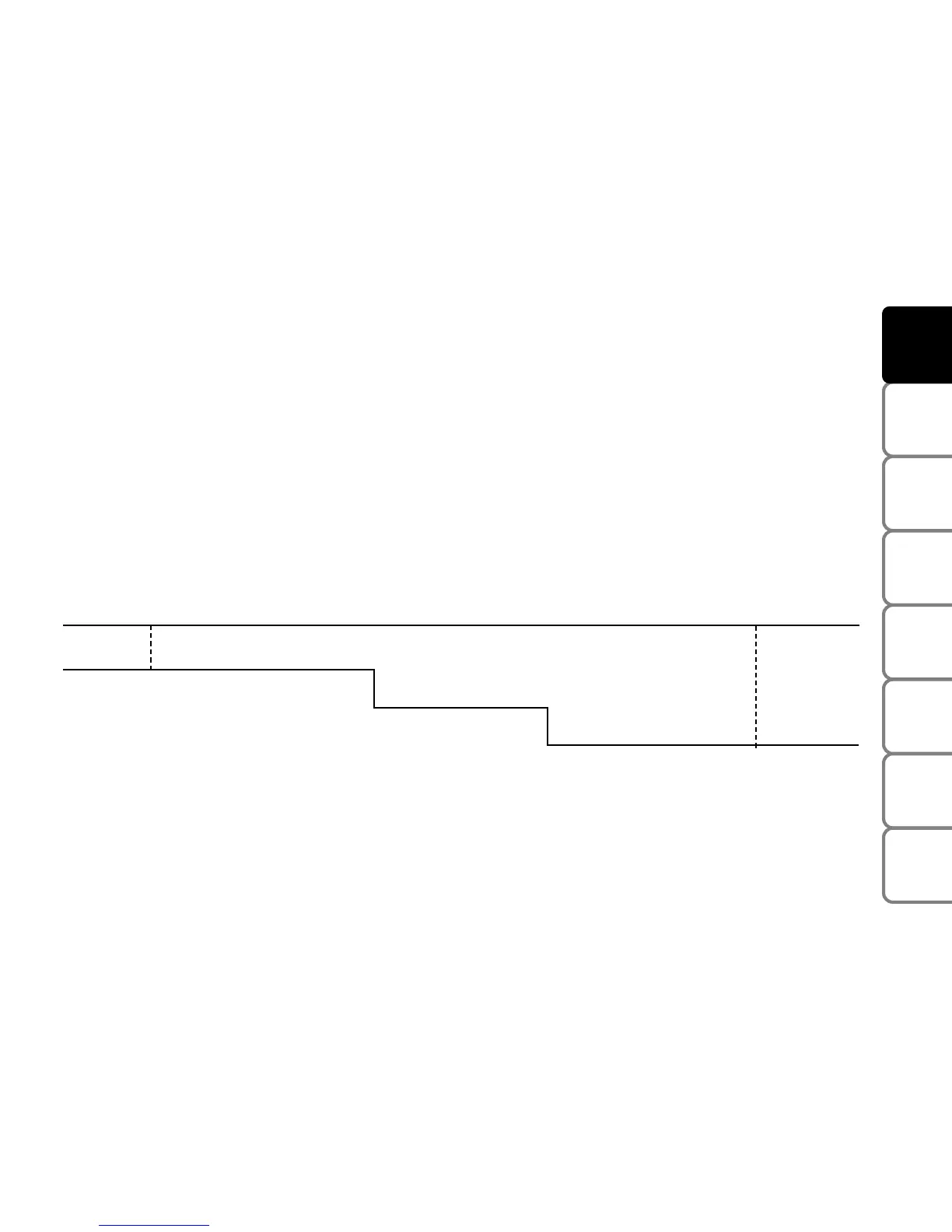
The TRIP COMPUTER function shows the quantities related to car operation on the configurable multifunction
display. This function consists of TRIP A (general) related to the total mission of the car and TRIP B (partial) which
relates to the partial mission of the car. The latter function is part of the total mission (as shown in the following
graph). Both functions can be reset. TRIP A is used to display information concerning consumption (average
consumption), range, average speed, travel time (the time for which the car has been driven) and distance travelled.
TRIP B is used to display consumption B (average consumption), average speed B, travel time B (the time for which
the car has been driven) and distance travelled B
Start of trip procedure (reset)
To start a new trip under TRIP A, with the key at MAR, press the TRIP button in TRIP 1 (see “Control buttons”).
End mission
Start new partial mission
Reset TRIP B
˙
Reset TRIP B
End mission
Start new partial mission
˙
˙
Reset TRIP B
˙
˙
˙
TRIP B
TRIP B
TRIP B
End mission
Start new partial mission
End mission - Start new partial mis-
sion - Reset TRIP B
TRIP A
End mission
Start new general mission
Reset TRIP A
˙
End mission
Start new partial
mission - Reset TRIP A
˙
The reset procedure (pressing the TRIP button - TRIP 2, see “Control buttons” in this section) in TRIP A menu will
also reset TRIP B. The reset procedure (pressing the TRIP button - TRIP 2) in TRIP B menu will only reset the values
related to this specific function.
IMPORTANT The range value cannot be reset.


 To Next Page