9
Connecting The Microphone
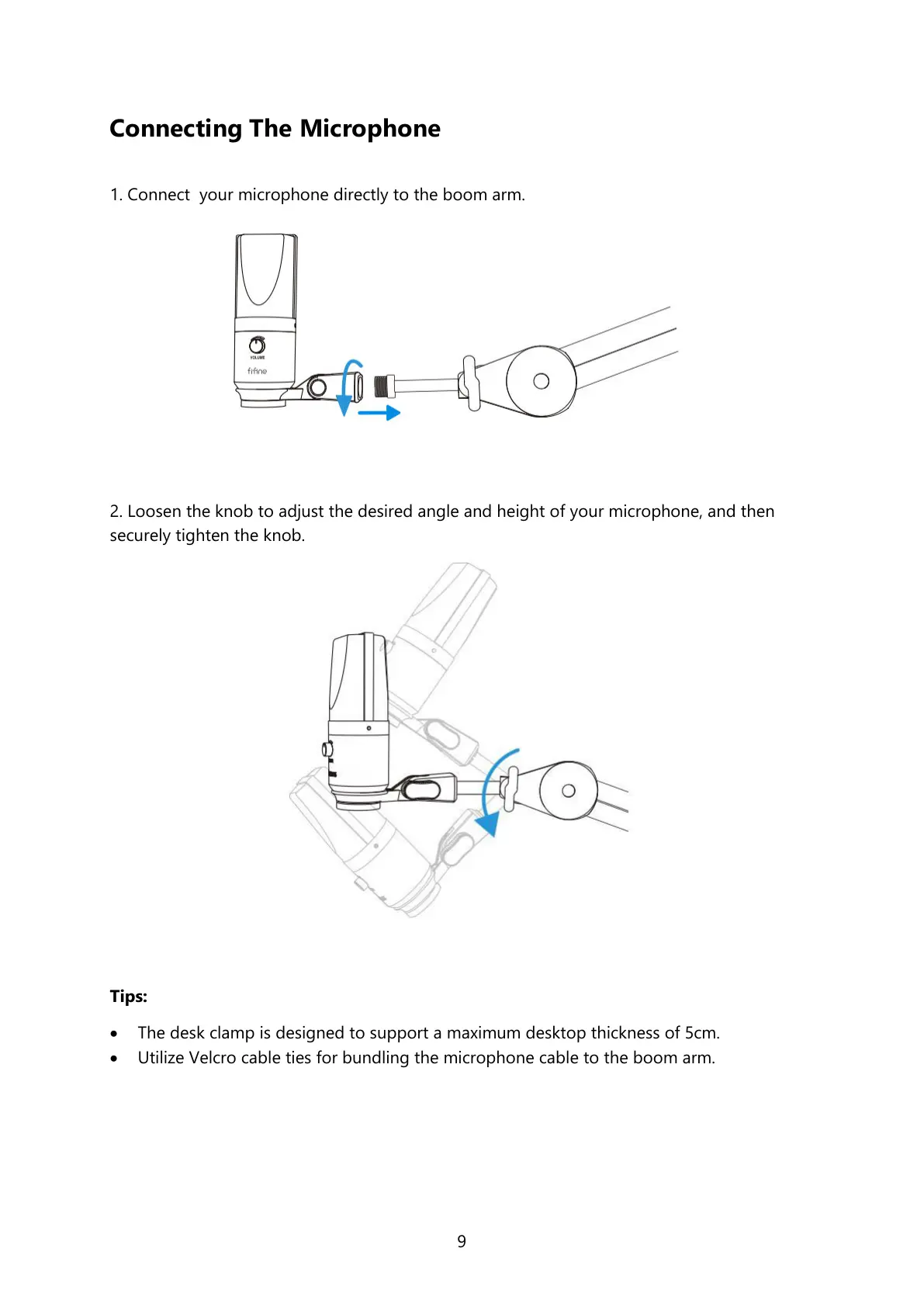
1. Connect your microphone directly to the boom arm.
2. Loosen the knob to adjust the desired angle and height of your microphone, and then
securely tighten the knob.
Tips:
The desk clamp is designed to support a maximum desktop thickness of 5cm.
Utilize Velcro cable ties for bundling the microphone cable to the boom arm.



 To Next Page