11
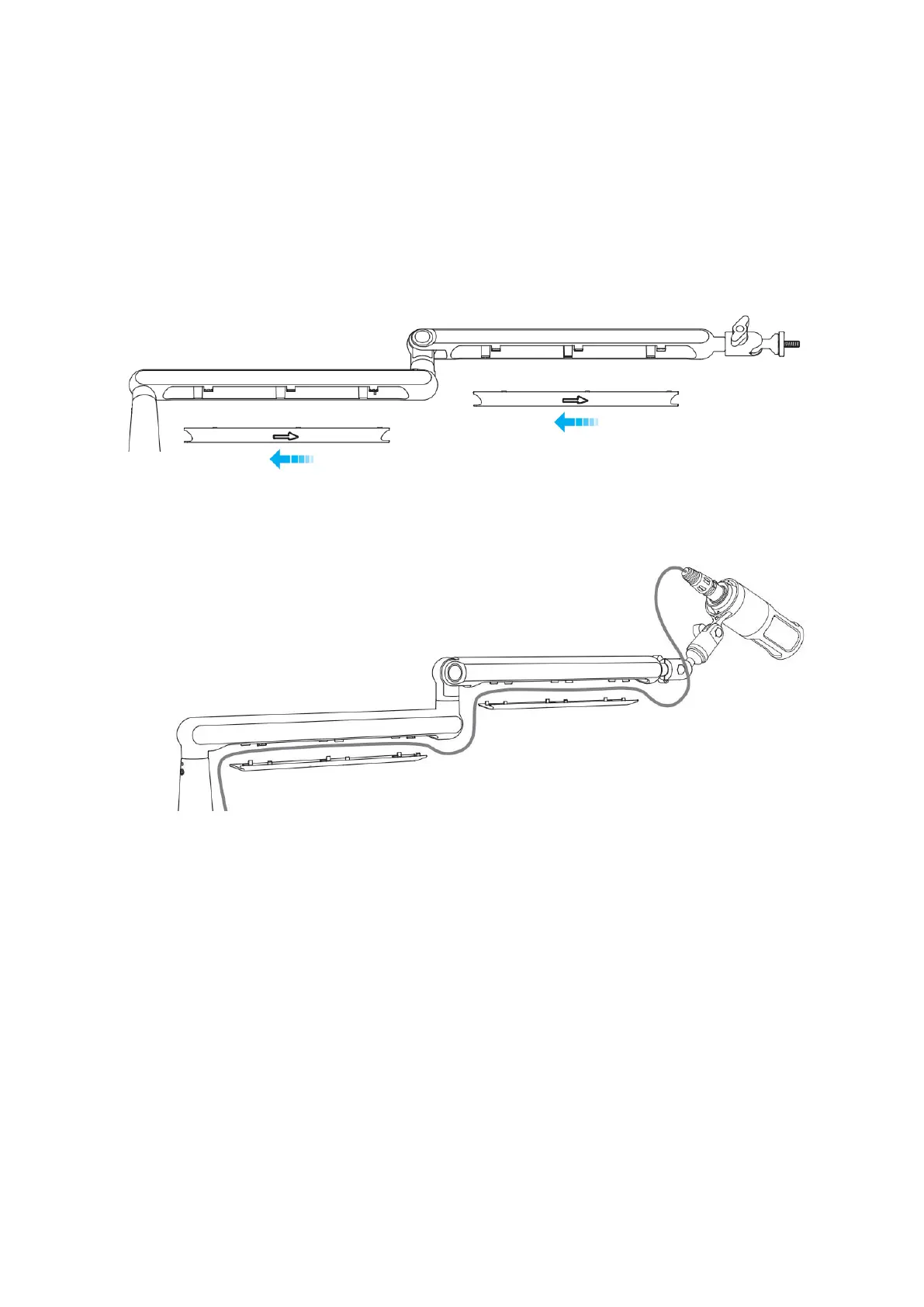
Usage Of Cable Management Channels
To effectively manage microphone or camera cables, utilize the integrated cable
channels available. Follow these steps:
1. Slide the cover in the opposite direction of the arrow to open it, revealing the cable
channels.
2. Place the microphone or camera cables into the channels, ensuring they are neatly
arranged and organized within.


 To Next Page