5
Stand Installation
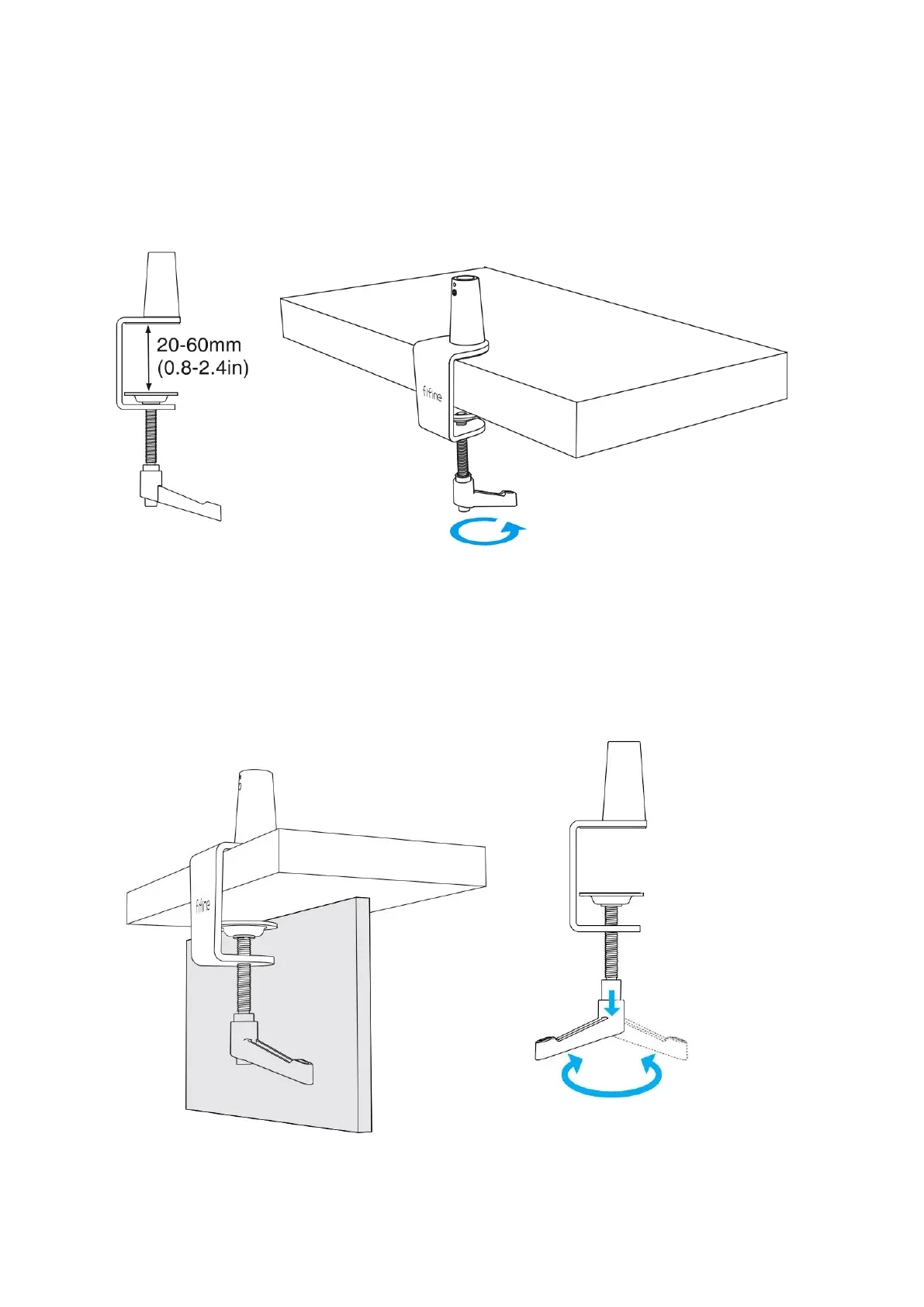
1. To install the desk clamp, place it on the edge of your desk, loosen the ratchet by
rotating it counterclockwise, position the clamp securely, and then tighten the ratchet by
rotating it clockwise.
In situations where the desktop space is limited or obstructed, it is important to make
adjustments to the desk clamp accordingly. Begin by setting the clamp to a range close
to the thickness of the desktop edge. Once set, carefully position the clamp onto the
edge of the desktop. To secure it in place, pull down the ratchet lever towards the left,
and then tighten it by moving the lever to the right. This ensures a firm and stable
attachment.


 To Next Page