9
Boom Arm Stand Usage
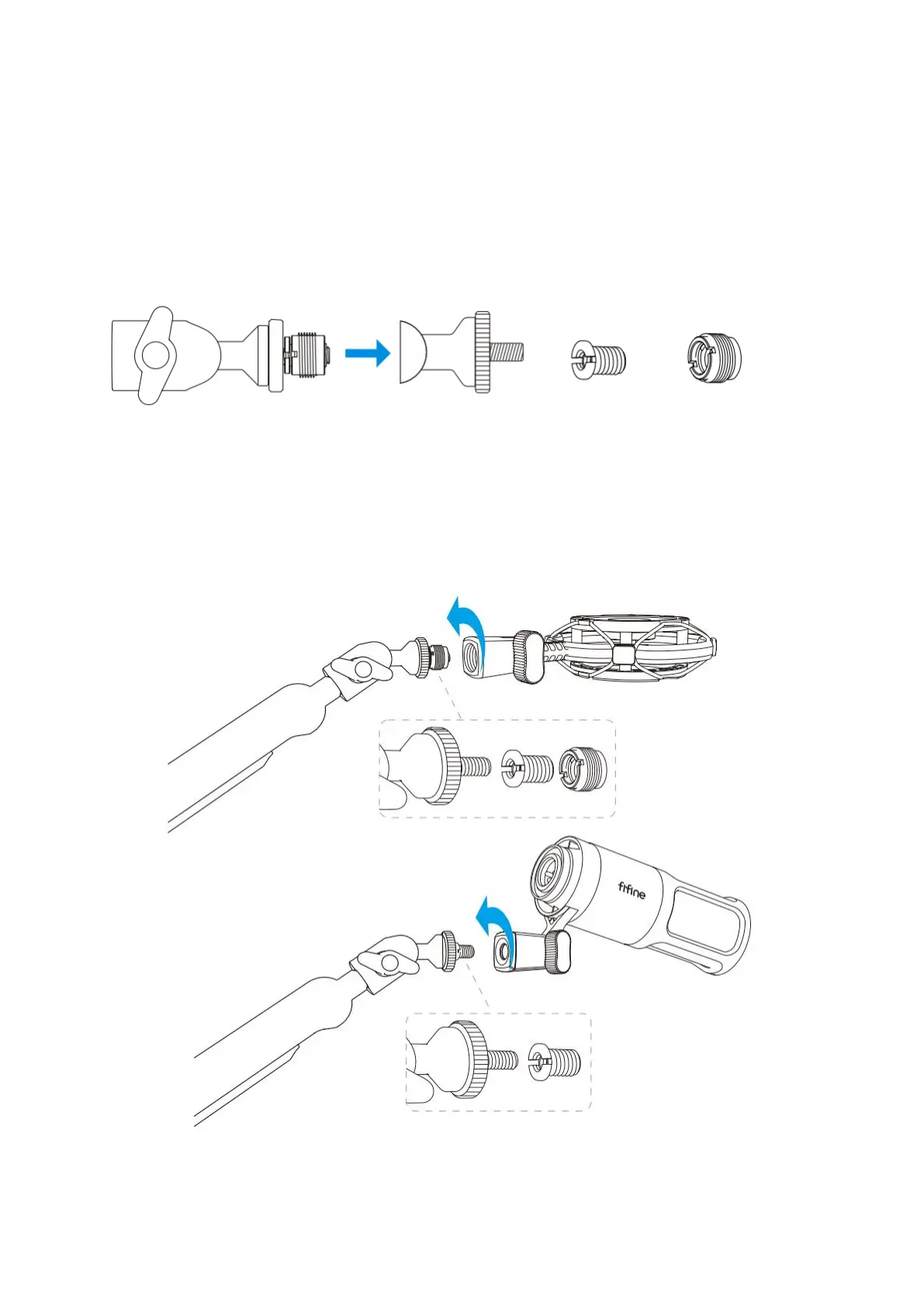
1. Adapter Selection: The arm stand is equipped with a 1/4" screw nut, and the product
includes a 1/4" to 3/8" adapter and a 3/8" to 5/8" adapter. Choose the appropriate
adapter based on the size of your microphone, shock mount, mic holder, or camera.
(Note: To disassemble the adapters, unscrew them individually as needed.)
2. Installing the Microphone/Shock Mount/Camera: Place the appropriate adapter on the
arm stand joint, then insert the microphone, shock mount, or camera into the joint.
Securely fasten your mic, shock mount, or camera to the arm stand by tightening the
locking nut. (The accompanying guide pictures depict a FIFINE product as an example.)
Note: Microphone, shock mount, and camera are not included.


 To Next Page