6
Quick Start
For Android phones/tablets
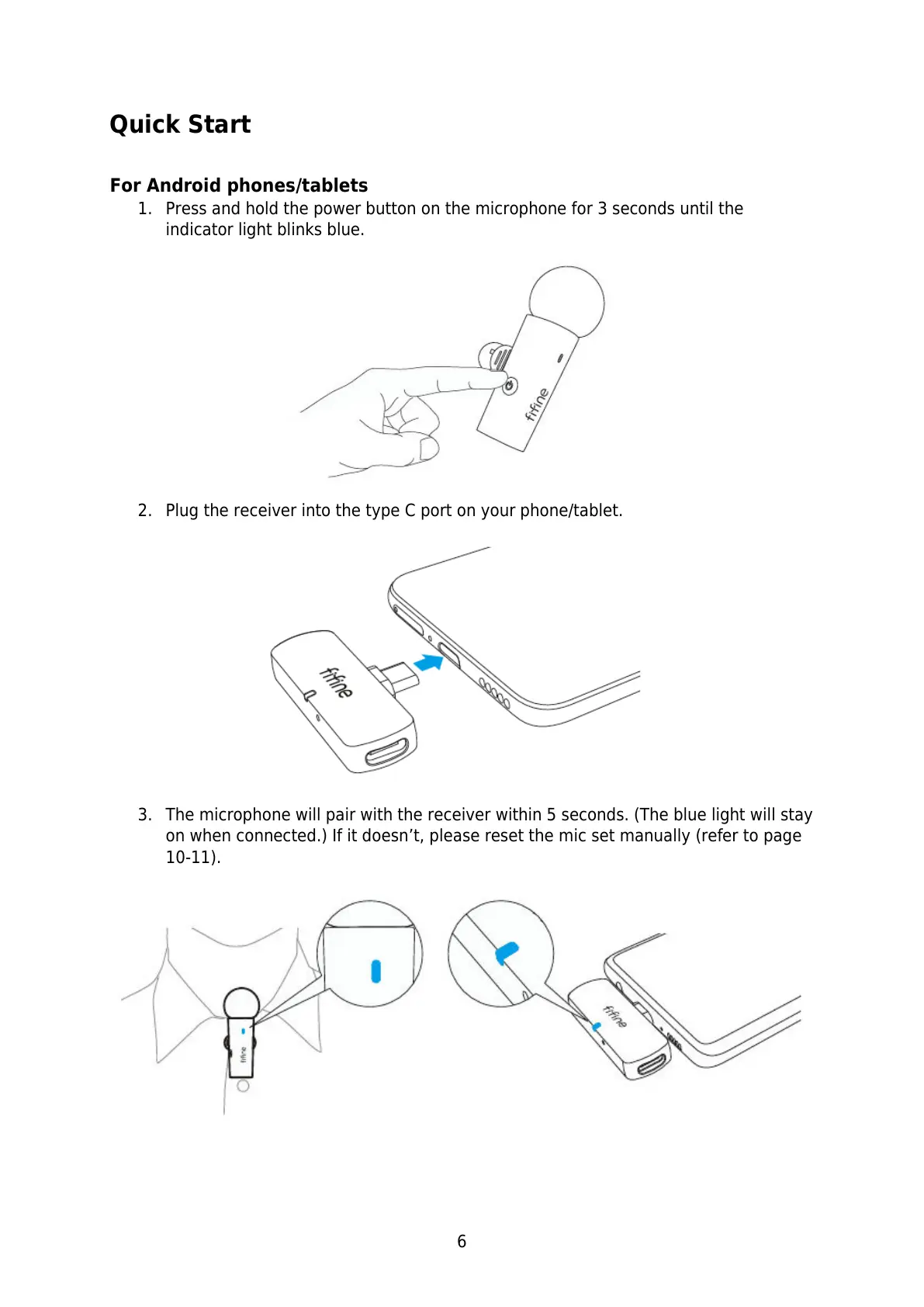
1. Press and hold the power button on the microphone for 3 seconds until the
indicator light blinks blue.
2. Plug the receiver into the type C port on your phone/tablet.
3. The microphone will pair with the receiver within 5 seconds. (The blue light will stay
on when connected.) If it doesn’t, please reset the mic set manually (refer to page
10-11).



 To Next Page