14
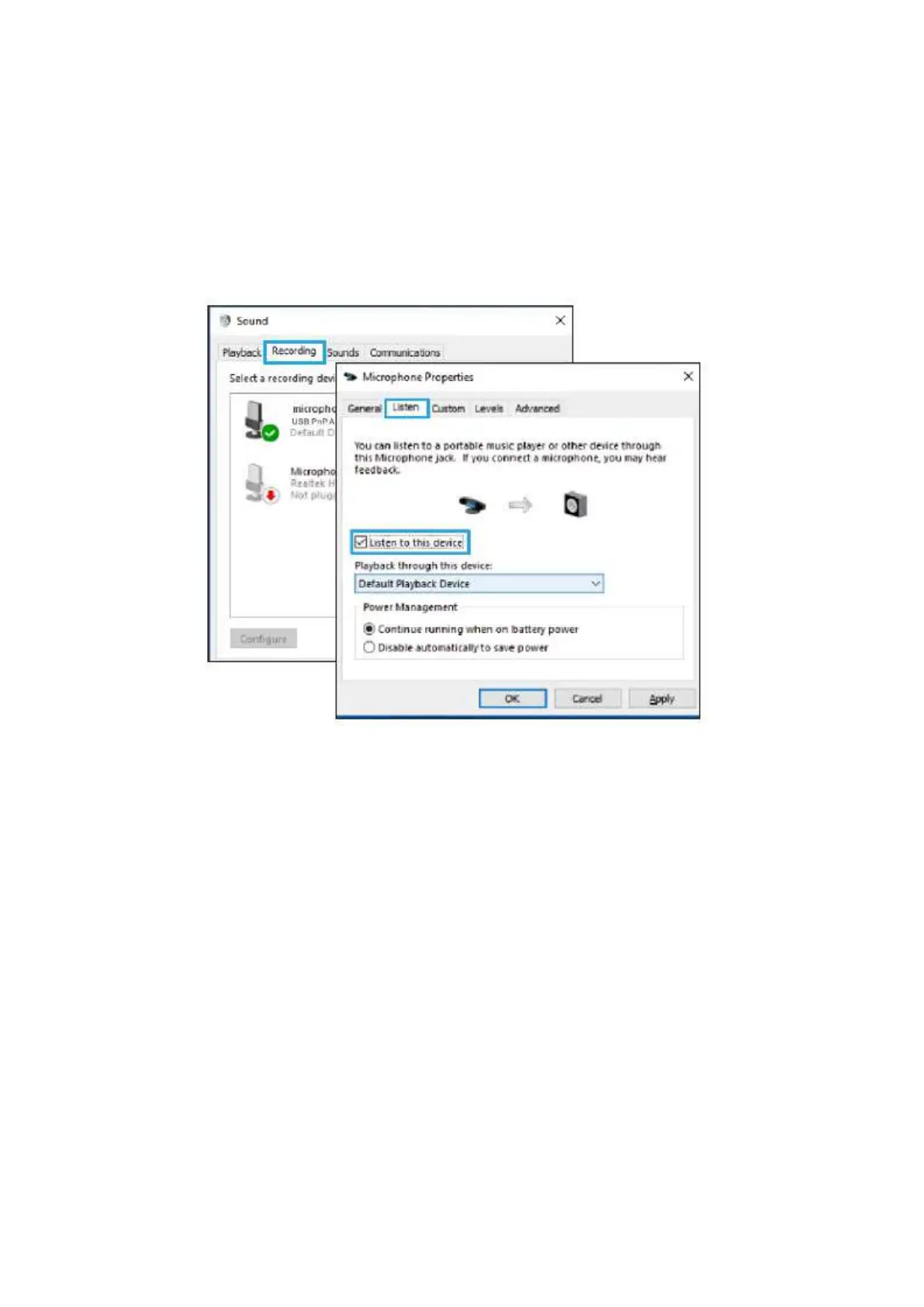
6. If you want to monitor your recording, click Microphone “USB PnP Audio Device’-
“Properties”-"Listen’”-click” Listen to this device’-"Apply”. No sound is heard through
earphone/built-in speaker if you don’t follow this procedure.
NOTE: Click off “Listen to this device” when you are using any recording software or
chatting software (Skype).
7. Double click the “USB PnP Audio Device” to open the Microphone Properties window.
Right click the speaker icon under the Levels tab, change to decibels from percentage.
To get the best sound of the mic, please adjust the mic level during this range (+14.0
to+20.0dB), when the output volume of the speaker is max.



 To Next Page