2.2 Gain
This item is to adjust the output amplitude. A positive number means prompting the output
amplitude, a negative number means reducing the output amplitude. The maximum can be set to
+12dB and the minimum -24dB.
2.3 Frequency
This item is used to set the frequency value that needs to be adjusted.
2.4 Q value
The Q value is used to define the width of the frequency range affected by boosting. It describes the
frequency range of boosting or attenuation, which is actually bandwidth. The larger the Q value, the
smaller the bandwidth affected, and conversely, the smaller the Q value, the larger the bandwidth
affected.
3. EQ switching and access operation instructions
3.1 EQ switch
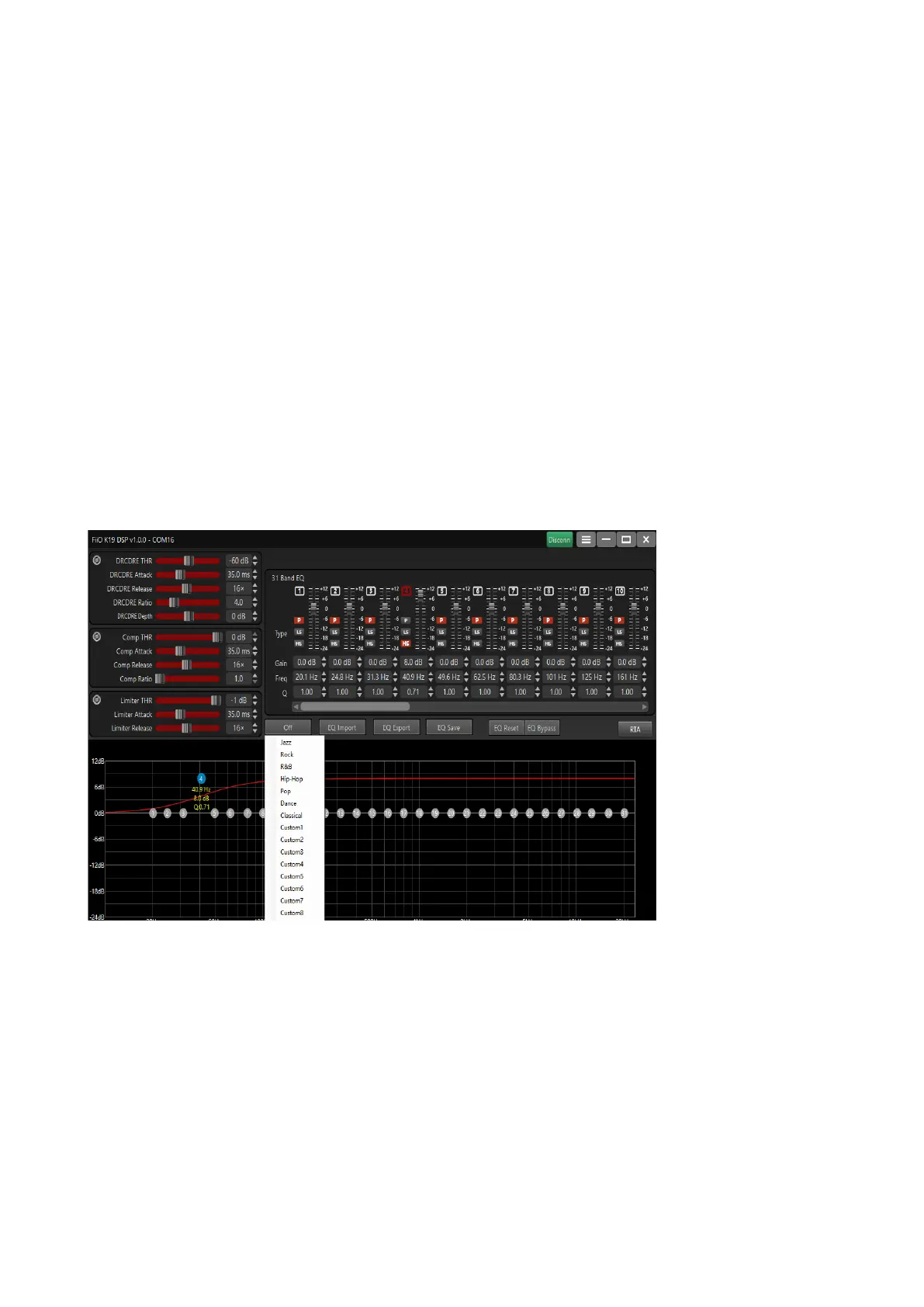
Click the first button in the picture to pop up the EQ selection list, select any required EQ name,
and K19 can switch to the corresponding EQ simultaneously (note, if you switch EQ from K19
while the DSP is connected, the DSP client will The current EQ displayed will not be refreshed, just
disconnect and reconnect the DSP software). It is recommended that when the DSP client is
connected, use the DSP to switch EQ first.


 To Next Page
 Loading...