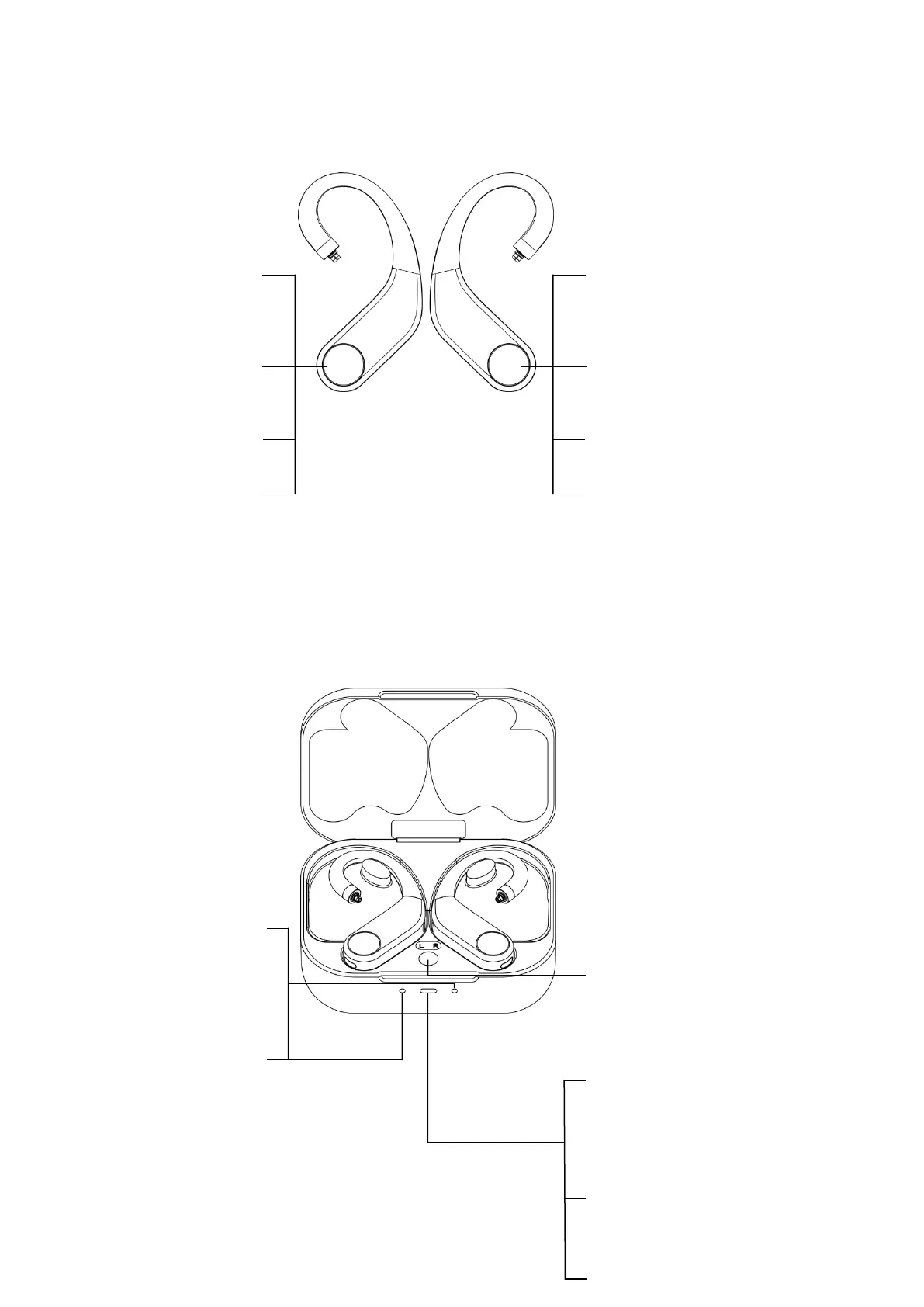
Instructions for multifunction button of the earhook
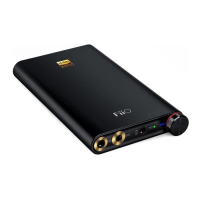
Instructions for multifunction button of the charging case & indicator
light
(Notes: Before using, please tear the insulated gummed paper off on the metal contact of the
earhook.)
Triple click: Activate voice assistant
Long press: Next track, hang up, decline
a call
Single click: Resume playback,
decrease volume, answer a call
Long press: Previous track, hang
up, decline a call
Left and right earhooks are
charging: White light pulses for
about 15s before going off. (The
indicator light will stay ON if the
charging case (case lid closed) is
connected to a USB or if the earhooks
are charged with the case lid opened.)
Left and right earhooks are fully
charged: White light keeps
constantly on for about 15s before
going off. (The indicator light will
stay ON if the charging case (case
lid closed) is connected to a USB
or if the earhooks are charged with
the case lid opened.)
① Remaining power indication (indicates
when opening the case every time.)
21%~100%: White light constantly on for 5s;
20%~0%: Red light constantly on for 5s.
Operation instructions for the multifunction
button of the charging case:
Enter pairing state: Long press the
multifunction button for about 3s;
Reset: Long press the multifunction button for
about 12s;
Short press: Display the remaining power of
the charging case.
② Charging case status indication:
Charging: White light pulses (case lid
closed);
Fully charged: White light constantly on (case
lid closed).
③ Earhook (in the case) status indication:
Pairing: Red&white light flash alternately.
Triple click: Activate voice assistant
Single click: Resume playback,
increase volume, answer a call


 To Next Page