Sita200plus User Guide
8
General Operation
Normal
In the normal operating mode only the green POWER LED is lit. If any other LEDs are lit and/or the
buzzer is sounding there is an abnormal condition present.
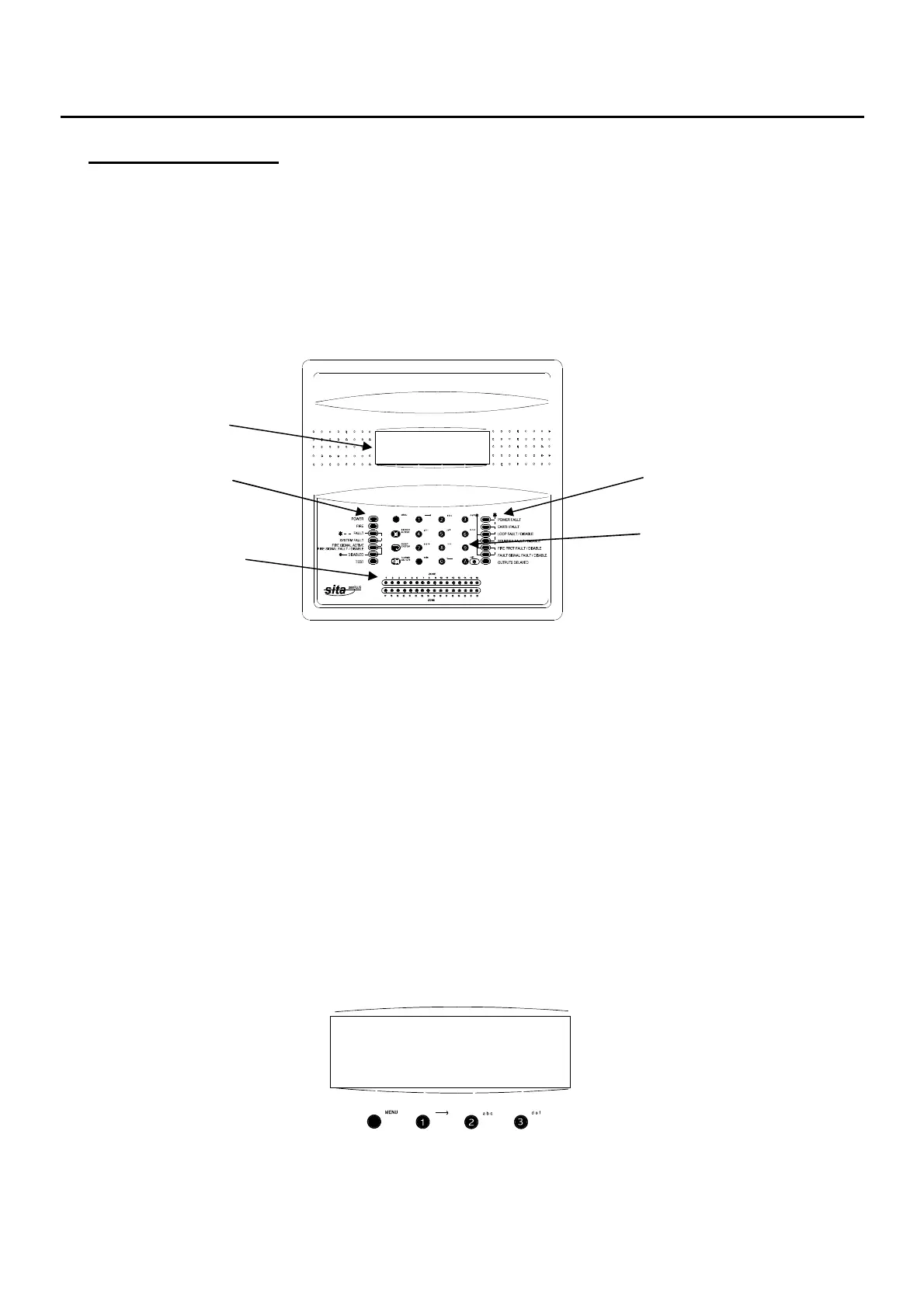
Control Panel Front
LCD display
System status Fault & delay status
Keypad
Detection-Zone
Fire Indication
Access Levels and Soft Keys
In normal operation the panel controls are inoperable, to prevent unauthorised operation. This is
classed as Access Level 1 (Normal). NB/ the ‘SILENCE BUZZER’ button is operational at all times.
In order to operate the panel following a fire alarm or fault condition, or for routine testing, the
controls must be enabled by entering Access Level 2 (User).
Soft keys are used to pilot around the menu system. The lower line of the display is arranged in the
following format:
[ ] [ ] [ ] [ ]
Each section (eg., ‘[AL2 CODE]’) represents the function of the button immediately below on the
keypad (follow the raised line in the moulding from the prompt down to the button). The system will
therefore prompt you with the relevant options for you to use the system.
The default (factory set) Access Level 2 (User) code is ‘222’.
ADDRESSABLE FIRE ALARM 4V14
PROGRESSIVE FIRE SYSTEMS LTD
FOR SERVICE CALL 01234 567890
ADDRESSABLE FIRE ALARM 4V14
PROGRESSIVE FIRE SYSTEMS LTD
FOR SERVICE CALL 01234 567890
[DISPLAYon] [testDISPLAY] [AL2 CODE] [nextMENU]



 To Next Page