instructions may cause harmful interference to radio
communications. However, there is no guarantee that
interference will not occur in a particular installation. If this
equipment does cause harmful interference to radio or television
reception, which can be determined by turning the equipment off
and on, the user is encouraged to try to correct the interference
by one or more of the following measures:
•
Reorient or relocate the receiving antenna.
•
Increase the separation between equipment and receiver.
•
Consult Filisia Technical Support or your local Distributor for
help.
FCC Note 2
Changes or modifications to this unit not expressly approved by
the party responsible for compliance could void the user’s
authority to operate the equipment.
FRN: 0028715027, Grantee code 2AT9O
Technial specifications
Switch Type: Mechanical !
Connection Type: Bluetooth 4 / Bluetooth LE!
Activation Type: strain!
Housing Colour: Semitransparent White!
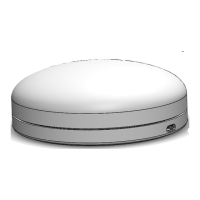
Shape and size: Round. 5cm radius. 3.5 cm hight. !
Activation Surface: 90 cm2 !
Activating Force: Adjustable. minimum 50-grams. maximum 17.6 oz
/ 500 grams!
Colour: Adjustable. 9 available colours !
Feedback: Visual!
Operation temperature: 10 - 35 degrees celsius !
Mounting Plate: Universal Mounting Plate !
Compatibility: Android, OS X, iOS, Windows, Linux!
Battery type: Lithium Polymer, 850mAh or 600mAh. Rechargeable
via micro usb.!
Battery life (Cosmo): 20 hours
Please use chargers using 0.5 to 1 Ampere. Use only mains USB
chargers and avoid charging the Cosmo devices on you
computer or other electronic equipment as this might cause
defects.
Battery Charging
The Cosmo Switch is powered by an internal rechargeable
battery. Charge the Cosmo Switch to full power before using.
To charge:
1.
Select appropriate wall adapter for your region.
2.
Insert micro USB portion of wall charger into the micro USB
charging jack on the Cosmo Switch and plug wall adapter
into wall outlet.


 To Next Page
 Loading...