Fillmaster Systems, LLC | 2030 Gillespie Way, Suite. 104, El Cajon, CA 92020
Phone: 888-284-7873 | www.llmastersystems.com
USER GUIDE: FILLMASTER 3400 & 3600
CALIBRATION
Checking Calibration:
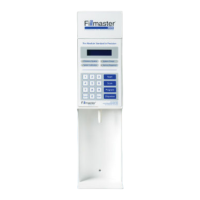
• Press “START” on the dispenser.
• The display will read “SELECT KEY> ENTER AMOUNT___.”
• Type in 50ml, then press “ENTER.”
• Place a 100ml graduate under the dispensing tip.
• Press “DISPENSE” to begin water ow.
• If the amount dispensed is 50ml, your Fillmaster is properly calibrated.
• If the amount dispensed is less or more than 50ml, your Fillmaster must be
calibrated.
Fillmaster Systems, LLC | 9475 Gerwig Lane, Columbia MD 21046
Phone: 888-284-7873 | www.fillmastersystems.com


 To Previous Page