Fillmaster Systems, LLC | 9475 Gerwig Lane, Columbia MD 21046
Phone: 888-284-7873 | www.fillmastersystems.com
USER GUIDE: FILLMASTER 3400 & 3600
POWER SUPPLY
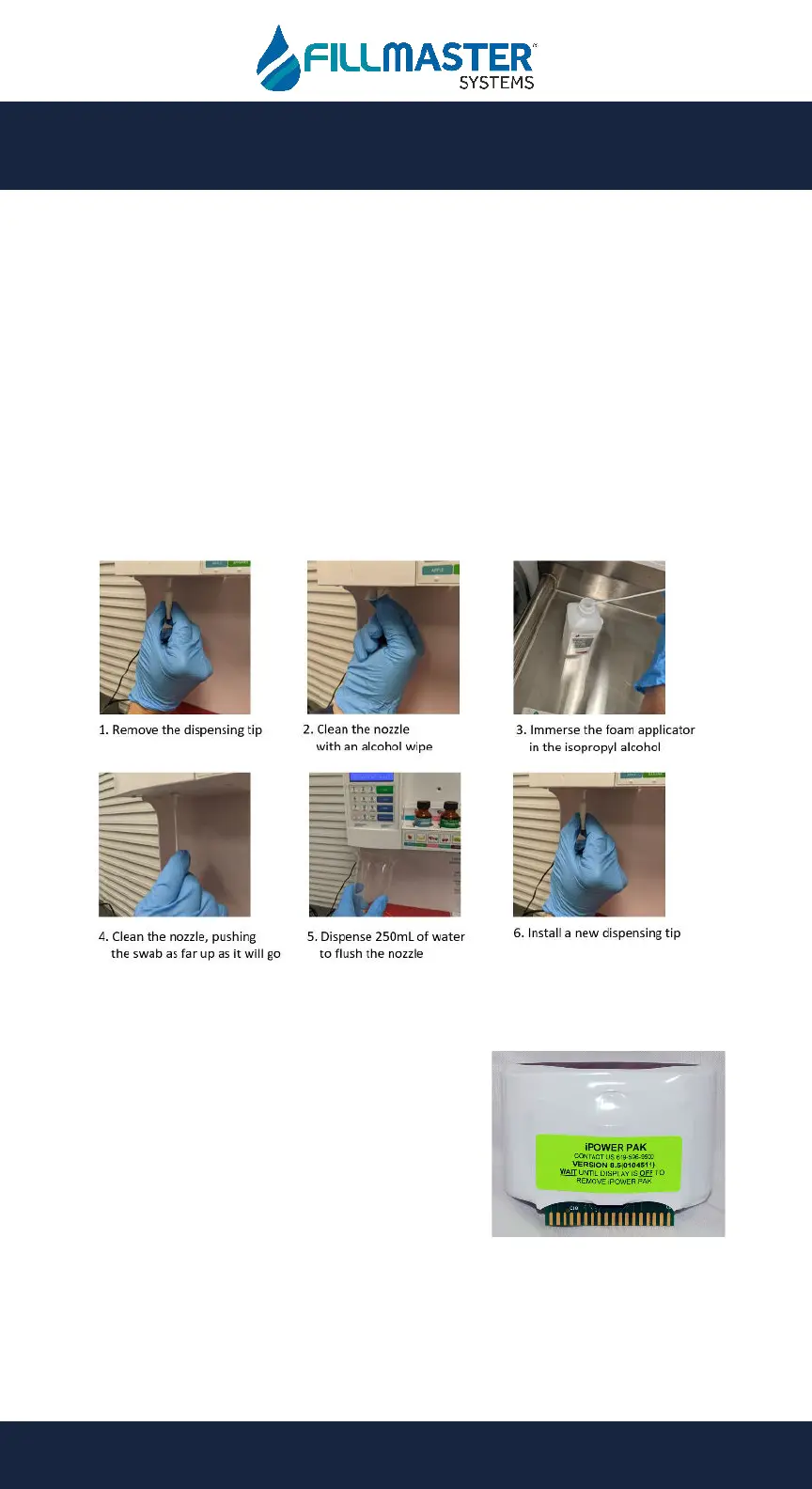
• The Fillmaster dispenser is powered by the
iPOWER PAK, which is located under a cover at
the top of the dispenser.
• When the battery life on the iPOWER Pack runs
low, it will display a low power warning to the
user. This gives you approximately a 1 month
window to replace the iPOWER PAK. Call
Fillmaster right away to receive a new battery.
• Replacement iPOWER PAK units can be ordered by calling Fillmaster at
888-284-7873.
• The battery life of the iPOWER Pak can be checked by pressing the “Program”
button 3x, and selecting option “2” for Power Supply. A gas gauge style power
level will be displayed on the screen.
ROUTINE MAINTENANCE
• If you notice debris on the removable dispensing tip, remove the tip and clean
it at the sink with warm, soapy water.
• If you notice debris in the dispensing chamber, wipe it off with a paper towel
soaked in warm water.
o If you are struggling to remove hardened debris in the dispensing
chamber, spray with standard 3% hydrogen peroxide and wipe clean
with a paper towel.
o Be sure to wear disposable gloves when using hydrogen peroxide.
As Needed
Monthly


 To Next Page
 Loading...