5.6.3 Multiple Frames
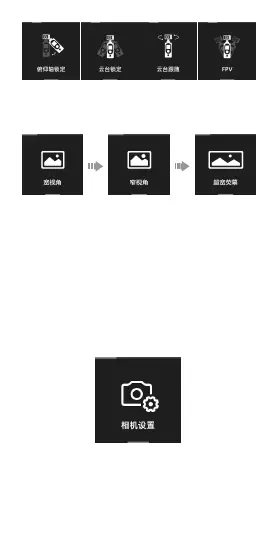
When in video mode, click to select different frames.
5.6.4 Camera Settings
- Photo Format: Click to switch between “JPG” and
“JPG+DNG”.
- Metering Mode: Click to select “Center metering”,
“Average metering” and “Spot metering”. The Palm2
defaults this mode as center metering.
- Video Output: Click to switch between NTSC and PAL. The
Palm2 defaults NTSC.
- Video Codec: Click to switch between H.264 and HEVC.
The Palm2 defaults this mode as H.264.
- LDC: Click to turn off or turn on distortion correction.
Distortion correction is on by default.
5.6.5 Gimbal Settings
- Joystick speed: Adjust gimbal’s moving speed while
controlling the joystick and speed up the gimbal from
rate 1 to 10.
- Follow speed: Aims to adjust the moving speed of the
gimbal while moving the Palm2. Speed up from 0 to 10.
Slower speed is applicable to taking smooth video while


 To Next Page
 Loading...