5
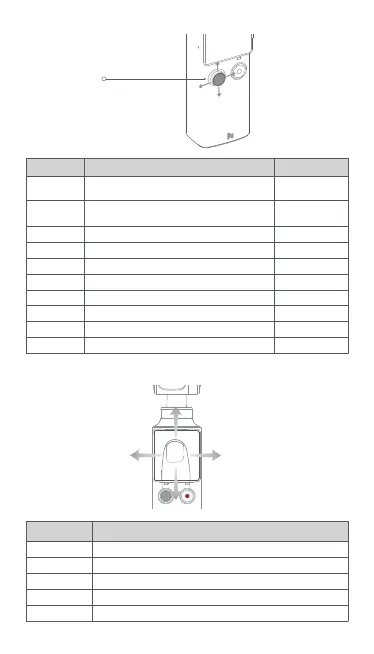
5-way Joystick
2. 5-way Joystick
Instruction Remarks
Short press
the button
Cording the video
Preview status
Mode 1
Mode 1
Mode 1
Mode 1
Mode 2
Mode 2
Mode 2
Mode 2
To mark the video
To switch the mode of 5-way joystick
To control the gimbal camera move up
To control the gimbal camera move down
To control the gimbal camera move left
To control the gimbal camera move right
ZOOM +
ZOOM -
EV -
EV +
Long press
the button
Move up
Move down
Move left
Move right
Move up
Move down
Move left
Move right
Status
3.Touch Screen
Swipe right To switch shooting mode
To switch shooting mode
To enter setting mode
To enter media library
Turn on / turn off Face Tracking
Swipe left
Swipe down
Swipe up
Double click
Instruction Status



 To Next Page