4
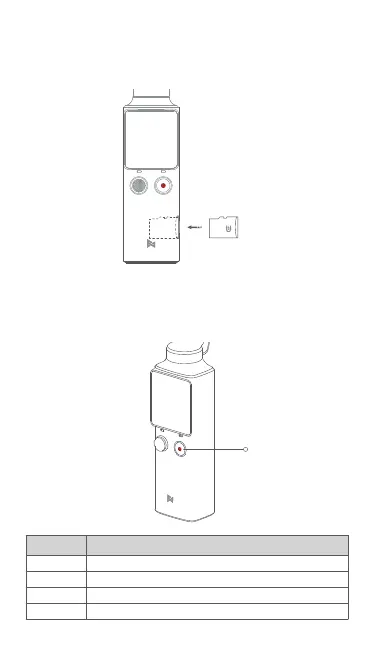
Power/Shutter Button
7.Operations
1.Power/Shutter Button
Instruction
Long press Turn on or turn off the PALM
Take a capture according to current shooting mode
To recenter the gimbal
To switch the camera 180° & Turn on / turn off Face Tracking
Short press
Double click
Triple click
Status
6.Inserting the MicroSD Card
Please insert the MicroSD Card as shown. It is recommended to use a micro
SD card with or over a UHS-3 Speed Grade rating(not included).
SD



 To Next Page