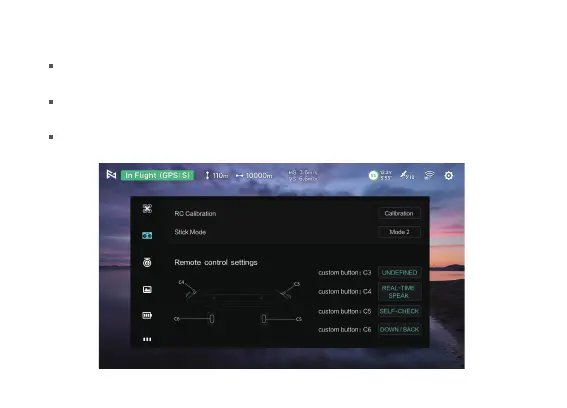
Remote control calibration:Click "Calibrate" on the remote control setting interface to enter the remote
control calibration interface, and follow the corresponding prompts to complete the calibration.
Remote control customization: You can customize the shortcut functions of the corresponding buttons
and knobs on the remote control.
Reset remote control parameters: Click to restore the default parameters of the remote control.
4. Remote control setups


 To Next Page