Microphone howling
effect occurs when
microphones are
half-covered
Howling effect is a common issue and it is not malfunction.
Try to avoid using the earphones by having the
microphones half-covered. If howling effect is occuring
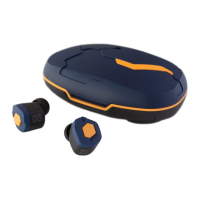
inside the charging case, please remove the earphones
from the case or close the lid completely.
Buzzer noise
from the
earphones
Connected to
a previously
connected device
Earphones are not
in the pairing mode
Earphones
cannot be
detected /
paired
While playing
music, sound
(connection) is
interrupted
Please try performing the pairing operation again after having
deleted the pairing information from the previously paired device.
Unstable connection
caused by interference
from external factor
Bluetooth communicates using the 2.4GHz band. This band
is used by other wireless standards such as Wi-Fi, etc., and
so there is a possibility of receiving interference. Moreover,
this 2.4GHz band does not penetrate liquids. There is impact
from humidity and rain, and the human body also contains
liquid, so there are individual differences in connectivity.
Furthermore,it depends on the specifications of smartphones
and other devices. For that reason, switching OFF unused
Wi-Fi / Bluetooth settings on surrounding devices, etc. is a
countermeasure. While outside, there is a possibility that
moving a smartphone from inside a bag to a breast pocket,
etc. or otherwise reducing the distance between devices may
improve the connection status.
In some cases, performing a reset operation may fix the
problem. Please refer to “Performing Factory Reset” on P.8.
In some cases, performing a reset operation may fix the
problem. Please refer to “Performing Factory Reset” on P.8.
The battery of one
side of the earphones
has depleted
The output of the USB
adapter being used
for charging is low
The left / right
earphone pairing
has been released
Sound only
comes out
from one side
In case it takes
time to charge
Battery
consumption
is fast for
one side of the
earphones only
Please return the earphone into the adequately charged
charging case to charge it. Please refer to “Power / Charging”
on P.3 regarding the method for charging.
Based on the design
specification, one side
is the parent and the
other side is the child,
so the burden between
left and right is
different
Under the specification for Bluetooth earphones,
communication generally takes place with one side as the
parent and the other as the child. As such, the child only
communicates with the parent, but the parent communicates
with the smartphone or other devices and communicates with
the child as well, and so there is a difference in the level of
burden borne by the left and right earphone. As a result, a
difference in the battery consumption between the left and
right may occur.
In case you are using the USB port on a PC, etc., there are
cases in which the output is low and it may take more time to
charge than the publicly listed value. As such, please use a
5V/1A USB adapter when charging this product.
Voice Through
Mode is ON.
Volume is too
low / Cannot
turn up the
volume
If the " Voice Through Mode" of the Ambient Sound Mode is
turned on, the volume is automatically lowered and fixed.
Please use the "BGM Mode" when you adjust with the Ambient
Sound Mode. Switching the setting of Ambient Sound Mode
can be done in the application. For more details, please check
“What is The “final CONNECT” Application?” on P.9.
Noise cancelling
is not effective
enough
Inappropriate
ear tips size
If the the size of ear tips are not proper, noise cancellation will
not adequately work.Please try various sizes other than the
standard M size and use the most appropriate size. For more
information, please check "About Ear Tips" on P.10.
Non dedicated ear
tips are used
Use of ear tips other than the dedicated ones may cause
them to come off or remain in the ear canal during use.
Be sure to use the dedicated ear tips.
The ear tips
come off easily
Dust filter at the
nozzle opening is
clogged with build-up
Please try replacing the dust filters by referring to the “How
to Replace Dust Filter” extra sheet which can be found
together with the supplied dust filter in the accessories.
During dust filter replacement, please always perform the
replacement on both earphones.
Lower volume
on both sides or
on a single side
16 17
Troubleshooting: When You Think, “Is It Broken?” Troubleshooting: When You Think, “Is It Broken?”
Problem RemedyCause Problem RemedyCause


 To Next Page
 Loading...