Connecting to the Cloud
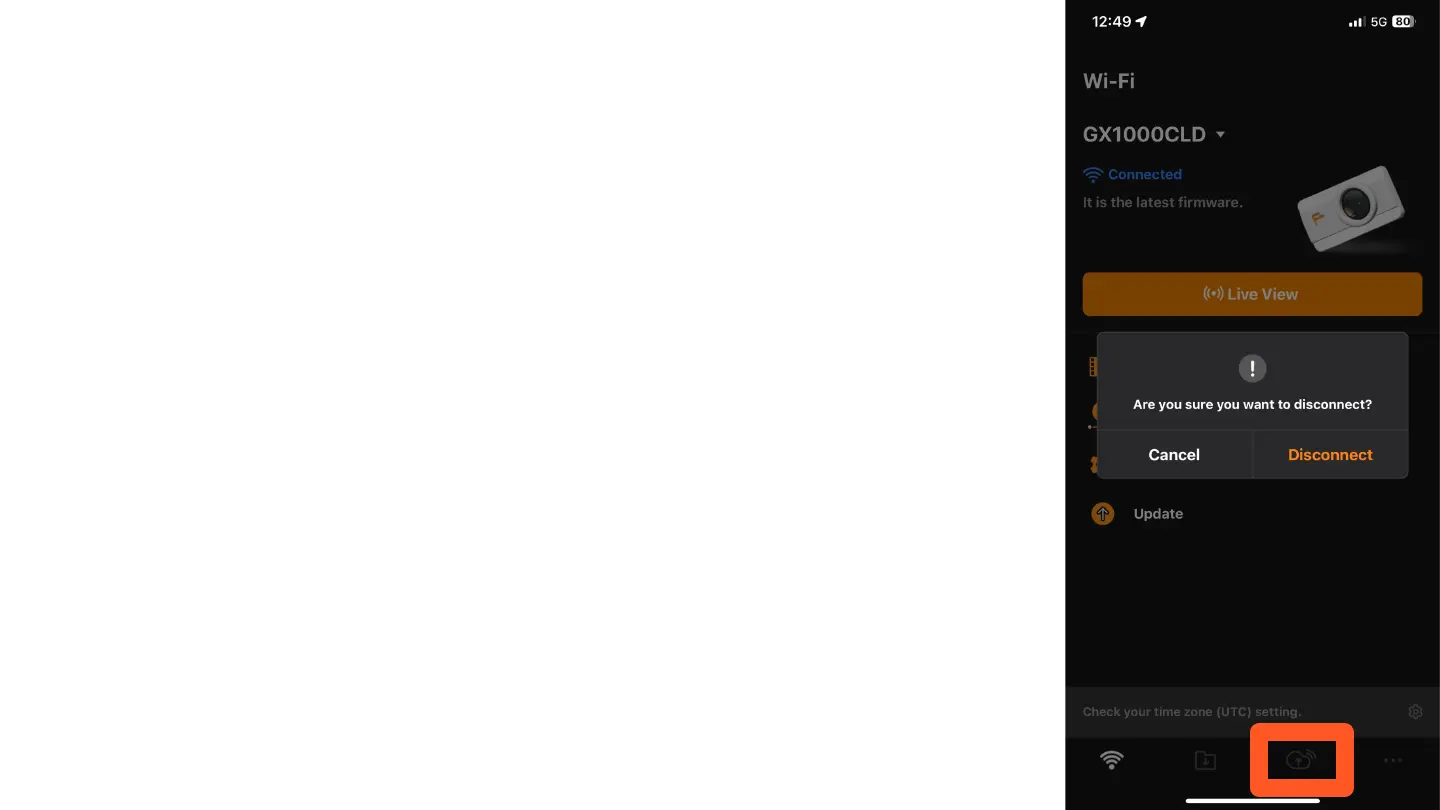
To connect your camera to the Cloud, follow these steps:
1. Tap the cloud icon in the app.
2. A message will appear asking if you are sure you want to
disconnect. Tap "Disconnect" to confirm.
It is normal to disconnect at this point, as we need to
configure the camera for connection to the Cloud.



 To Next Page