Need help?
Do you have a question about the FineVu GX7000 and is the answer not in the manual?
Details the limited warranty period and terms for the device and accessories.
General guidelines for product operation and environmental considerations.
Instructions for installing the product and GPS receiver.
Important warnings regarding installation and product integrity.
Important notes to prevent product malfunctions or injury.
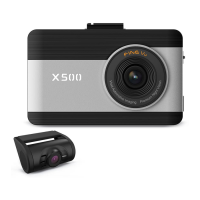
Lists the main hardware components of the dash cam system.
Lists available optional accessories for enhanced functionality.
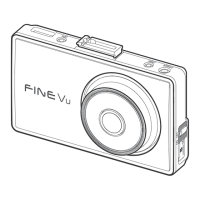
Identifies and describes parts of the front camera unit.
Identifies and describes parts of the rear camera unit.
Guides on installing the front camera and connecting cables.
Guides on installing the rear camera and connecting cables.
Guides on checking Wi-Fi information on the dash cam.
Instructions for configuring Wi-Fi settings on a smartphone.
Steps for connecting the mobile app to the dash cam.
Describes the interface of the FineVu Player software.
Instructions for viewing recorded videos on a computer.
Steps for downloading and installing firmware updates.
Tips for managing the microSD card for optimal performance.
Details compensation regulations for product damage and warranty claims.
 General
| Recording Modes | Continuous, Event, Manual |
|---|---|
| Parking Mode | Yes |
| GPS | Yes |
| Wi-Fi | Yes |
| G-Sensor | Yes |
| ADAS | Yes |
| Frame Rate | 30 fps |
| Battery | Super Capacitor |
| Image Sensor | Sony Exmor |
| Storage | MicroSD, up to 128GB |
| Voltage | 12V |
| Operating Temperature | -20°C to 70°C |
| Display | 2.7-inch LCD |

 To Next Page