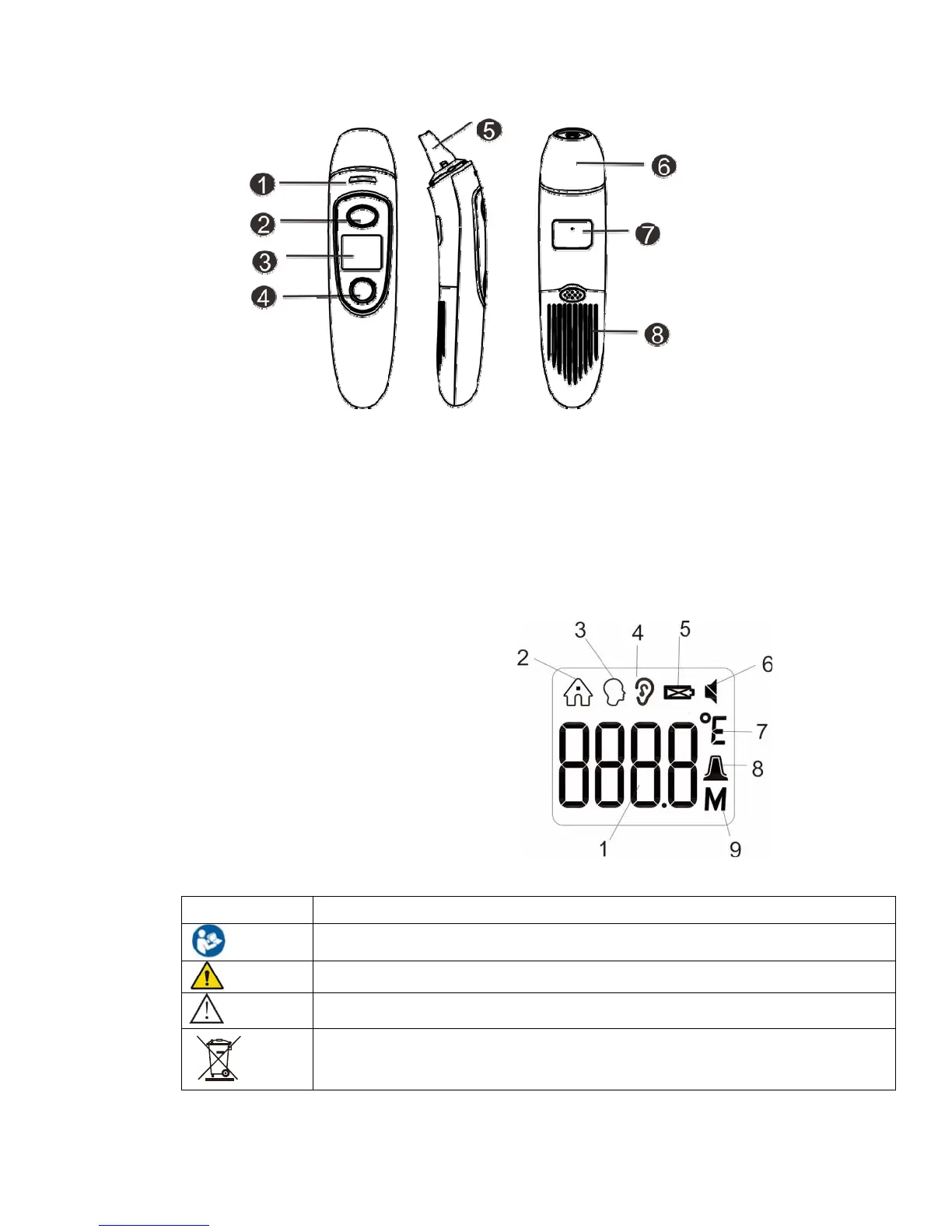
5. Shape structure
○1
Temperature light
○2
Measure button
○3
LCD display screen
○4
Memory/Mute-unmute button
○5
Probe
○6
Probecover(takeitoffwhenmeasuringeartemperature)
○7 Rating label ○8 Battery cover
6. Display icon definition
1. Temperature value
2. Object temperature m ode
3. Forehead temperature mode
4. Ear temperature mode
5. Battery level
6. Mute /Un-mute
7. Fahrenheit / Celsius degrees
8. Bluetooth icon
9. Memory recall
Table 2 Icon Definition Description
Icon Definition
Follow instructions for use
General warning
Caution
Don’t dispose with household waste after use


 To Next Page