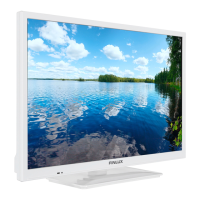
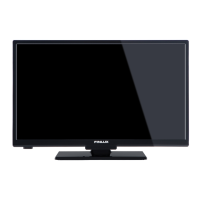
This document describes the Finlux 24FLKR274SVD color television, including its functions, technical specifications, usage, and maintenance.
Function Description:
The Finlux 24FLKR274SVD is a remote-controlled color television designed for receiving and displaying TV programs. It features a fully integrated digital/cable TV (DVB-T/C) tuner and is DVB-T2 compatible, allowing for reception of high-definition digital terrestrial broadcasts. The TV includes HDMI connectors for digital video and audio, supporting high-definition signals. It also has a USB input for media playback, enabling users to play photo, music, and movie files stored on USB drives. Additional features include program recording and time-shifting capabilities, a capacity for 1000 programs, an OSD (On-Screen Display) menu system, and a Scart socket for connecting external devices like video players, video games, and audio systems. The TV supports stereo sound, Teletext (including Fastext and TOP text), a headphone connection, automatic programming, manual tuning (forward/backward), automatic power down after six hours, a sleep timer, and child lock. It also features automatic sound mute when no transmission is detected, NTSC playback, AVL (Automatic Volume Limiting) for consistent sound levels, PLL (Phase-Locked Loop) for frequency search, and PC input with Plug&Play support for various Windows operating systems. A "Picture off" function is also available.
Important Technical Specifications:
- TV Broadcasting: PAL/SECAM B/G D/K K' I/I' L/L'
- Digital Reception: DVB-T MPEG2, DVB-T MPEG4 HD, DVB-T MHEG-5 Engine (for UK only), DVB-C MPEG2, DVB-C MPEG4 HD.
- Receiving Channels: VHF (BAND I/III), UHF (BAND U), HYPERBAND.
- Number of Preset Channels: 1000.
- Channel Indicator: On Screen Display.
- RF Aerial Input: 75 Ohm (unbalanced).
- Operating Voltage: 100-240V AC, 50/60 Hz.
- Audio: German + Nicam Stereo.
- Audio Output Power (WRMS.) (10% THD): 2 x 2.5.
- Power Consumption (W): 47 W (max).
- Panel: 16:9.
- Visible Screen Size (diagonal, approx.): 24 inches / 61 cm.
- On Mode Average Power Consumption: 19 Watt.
- Annual Energy Consumption: 27 kWh/annum.
- Standby Power Consumption: 0.5 Watt.
- Off Mode Power Consumption: 0 Watt.
- Display Resolution: 1366x768 px.
- Energy Efficiency Class: A+.
- Supported DVI Resolutions: The TV supports various DVI resolutions from 640x400 to 1920x1200 at different refresh rates (56Hz, 60Hz, 66Hz, 70Hz, 72Hz, 75Hz, 85Hz).
- Supported USB File Formats:
- Video: Mpeg1,2 (.dat, .mpg, .mpeg), MPEG2, H.264, VC1, AVS, MVC (.dat, .mpg, .mpeg), MPEG2 (.vob), MPEG1,2,4, XviD, H.264, VC1,WMV3, Motion JPEG (.mkv, .avi), MPEG1,2,4, XviD, H.264, VC1,WMV3, Sorenson H.263, Motion JPEG (.flv), MPEG4, H.264 (.3gp, .3g2), MPEG2,4, XviD, H.264, VC1,WMV3 (.asf, .wmv).
- Audio: MPEG1/2 Layer 1/2/3, AAC/HEAAC, AC3/EAC3, LPCM/ADPCM, WMA.
- Music: MP3 (.mp3), LPCM (.wav), WMA, WMA Pro (WMA/ASF), AAC, HEAAC (.m4a/.aac).
- Photo: Baseline JPEG (.jpg, .jpeg), Progressive JPEG (.png), non-interlace (.bmp), interlace (.png). Max WxH = 14592x12288, Up to 8 MegaByte.
- Subtitle: .sub, .srt.
Usage Features:
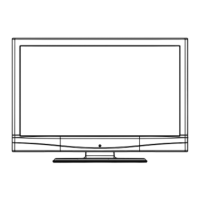
- Control Buttons: The TV has control buttons for Volume (up/down), Channel (up/down), Source selection, and Standby On/Off. Pressing the middle of the button once displays the channel information banner, twice displays the source list. Holding it down for a few seconds puts the TV into standby.
- Remote Control: A comprehensive remote control is provided with numeric buttons, volume/program controls, menu access, navigation buttons, colored buttons for specific functions, language selection, subtitles, media playback controls (rapid reverse, record, play, stop, rapid advance, pause), screen aspect ratio adjustment, Teletext, EPG, Exit, Quick Menu, and Source selection. "My Button 1" and "My Button 2" can be programmed for quick access to desired sources, channels, or links.
- First Time Installation: Upon first power-up, the TV guides the user through language selection, country setting, search type (Digital and analog, digital only, or analog only), and Teletext language. Users can choose to scan for encrypted channels. A default PIN code (4725, 0000, or 1234) may be required for certain menu options.
- Store Mode/Home Mode: During initial setup, users can select between "Home Mode" for domestic use or "Store Mode" (optional) for retail display.
- Channel List: The TV sorts stored stations in a channel list, which can be edited, marked as favorites, or filtered by active stations.
- Quick Menu: Provides quick access to frequently used options like Power Save Mode, Picture Mode, Favorites, Sleep Timer, CEC RC Passthrough, and Information booklet.
- CEC (Consumer Electronics Control): This feature allows control of CEC-enabled devices connected via HDMI ports using the TV remote. It can be enabled/disabled in the "Other Settings" menu. The TV also supports ARC (Audio Return Channel) for audio transmission.
- Picture Settings: Various picture modes (Cinema, Game, Sports, Dynamic, Natural) are available, along with adjustments for Contrast, Brightness, Sharpness, Color, Power Save Mode (Eco, Picture Off, Disabled), and Backlight (Auto, Maximum, Minimum, Eco). Advanced settings include Dynamic Contrast, Colour Temp, Picture Zoom, HDMI True Black, Film Mode, Skin Tone, Colour Shift, and RGB Gain. PC mode settings are available when connected to a computer.
- Sound Settings: Adjusts volume, equalizer (Music, Movie, Speech, Flat, Classic, User), balance, headphone volume, sound mode (Mono, Stereo, Dual I, Dual II), AVL, Dynamic Bass, Surround Sound, and Digital Out audio type.
- Installation & Retune: Options for automatic tuning (Digital Aerial, Digital Cable, Analog, or combinations), manual channel scan, network channel scan, analog fine tune, and first-time installation (resets to factory settings). A "Clear Service List" option is available for specific countries.
- Other Settings: Includes Menu Timeout, Scan Encrypted channels, Blue Background, Software Upgrade, Application Version, Hard of Hearing (special audio signal), Audio Description (narration for visually impaired), Auto TV Off, and Standby Search.
- Recording: Supports program recording and time-shifting via a connected USB disk (minimum 1 GB, USB 2.0 compatible). Recorded programs are saved in 4GB partitions and can only be played back on the TV. Instant recording and timer-based recording via EPG are available.
- DVD Mode: The integrated DVD player supports various disc types (DVD, Audio-CD, MP3-CD, Picture-CD). It includes controls for play, pause, stop, skip, fast forward/reverse, and eject.
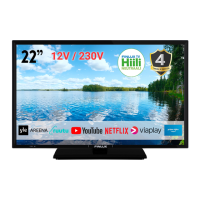
- Mobile TV Usage (12 Volt): The TV can be powered by a 12V DC source, such as a car cigarette lighter socket or car battery, using the provided adapter and cables.
Maintenance Features:
- Cleaning: Before cleaning, unplug the TV. Use a soft, dry cloth; do not use liquid or aerosol cleaners.
- Software Upgrade: The TV can find and update new software over broadcast channels. Users can manually check for upgrades or enable automatic scanning at 03:00.
- Troubleshooting & Tips: Provides solutions for common issues like image persistence (ghosting), no power, poor picture quality, no picture, no sound, distorted sound, and remote control not operating.
- Disposal: Symbols on the product indicate that it should not be disposed of with general household waste. Users should utilize existing recycling systems for proper disposal of the product and batteries. The "Pb" sign on batteries indicates the presence of lead.
Safety Precautions:
- Place the TV on a stable surface, ensuring at least 10 cm free space around it for ventilation. Do not block ventilation openings.
- Avoid placing objects on top of the TV.
- Use in moderate climates (0°C to 40°C, 85% humidity max).
- The power cord plug must be easily accessible. Disconnect from mains during storms, lightning, or extended periods of non-use.
- Do not touch the power cord/plug with wet hands.
- Do not use in humid or damp places, or expose to rain or water.
- Do not place liquid-filled objects on the TV.
- Avoid direct sunlight or intense heat sources.
- Ensure no open flames (e.g., candles) are placed on the TV.
- Excessive headphone volume can cause hearing loss.
- For wall mounting (optional), ensure secure attachment according to instructions.
- The LCD screen may have a few non-active pixels; this is normal and does not affect performance. Avoid scratching the screen.
- Battery Safety: Batteries can be fatal if swallowed. Keep new and used batteries away from children. Seek immediate medical attention if swallowed.
- Child Safety: Never let children use electrical devices unsupervised. Do not place the TV on unstable surfaces where it could fall and cause injury. Educate children about climbing on furniture.
- Power Off: Do not leave the TV in standby or operating mode when leaving the house. Disconnect power completely for longer absences.
- USB Device Safety: Quickly plugging/unplugging USB devices can cause physical damage. Do not pull out a USB module while playing a file.
- Recording Safety: Format new USB hard drives using the TV's "Format Disk" option. Do not unplug USB/HDD during recording to prevent damage.
- Service: All servicing should be performed by qualified personnel. Do not attempt to repair the TV-DVD yourself.

 Need help?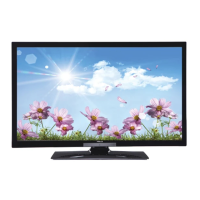


 To Next Page
 General