14:9
This zooms up the wide picture (14:9 aspect ratio) to
the upper and lower limits of the screen.
14:9 Zoom
This option zooms to the 14:9 picture.
4:3
Use to view a normal picture (4:3 aspect ratio) as this
is its original size.
Cinema
This zooms up the wide picture (16:9 aspect ratio) to
the full screen.
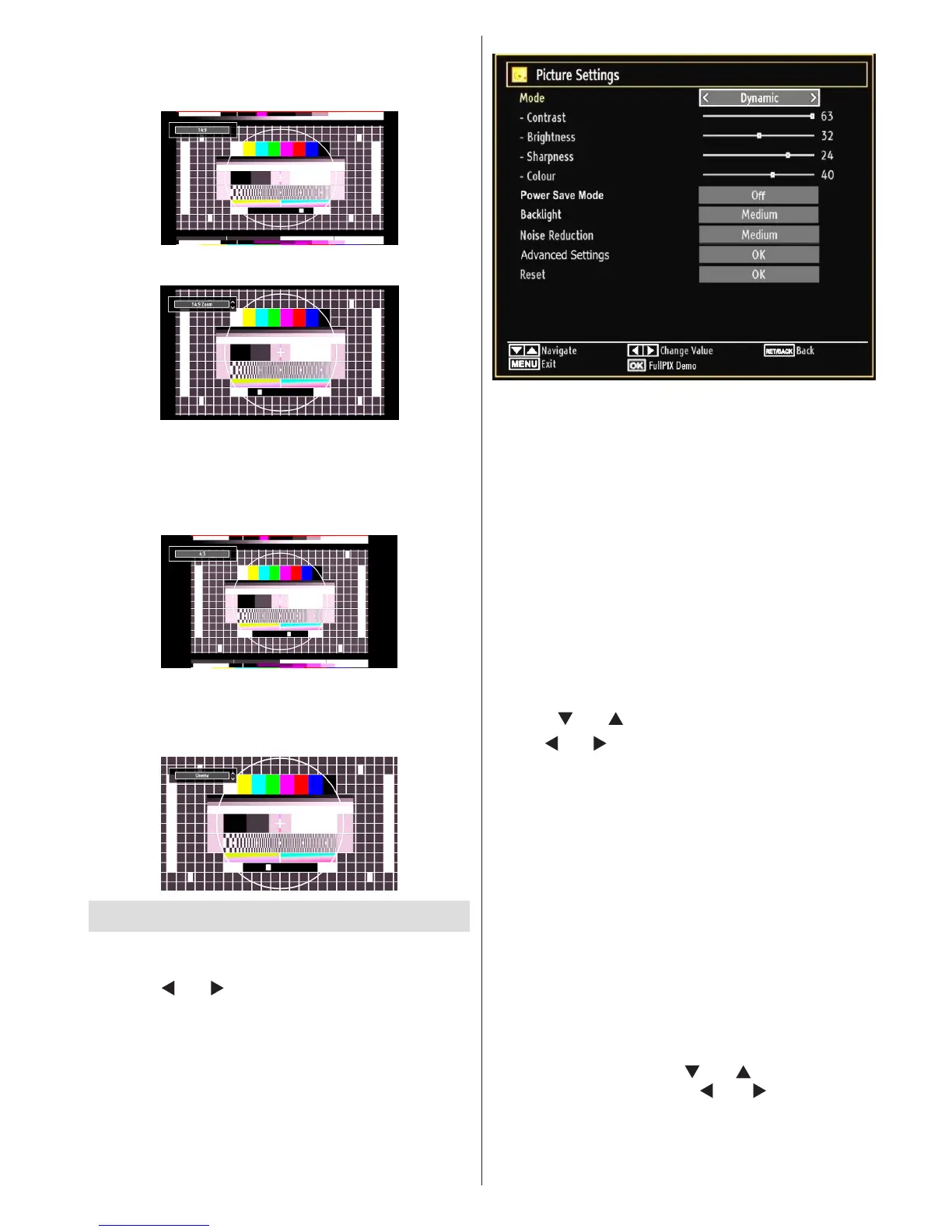
Conguring Picture Settings
You can use different picture settings in detail.
Press “MENU” button and select the Picture icon
by using “ ” or “ ” button. Press OK button to view
Picture Settings menu.
Fullpix Demo Mode : While Mode option is
highlighted in picture menu, Pixellence demo mode
will be displayed bottom of the menu screen.
Fullpix Demo Mode function optimizes the TV’s
video settings and helps to acquire a better image
quality. Pixellence Demo Mode thus includes
contrast, sharpness, colour enhancement and skin
tone correction along with the skin tone detection.
Press OK to start Fullpix Demo Mode for
experiencing Pixellence quality. Throughout the
demo mode, the screen is splitted into two sections,
one displaying the Pixellence II active area; the
other displaying the normal broadcast. Press OK
button to quit the demo mode.
Operating Picture Settings Menu Items
Press “• ” or “ ” button to highlight a menu item.
Use “• ” or “ ” button to set an item.
Press • “MENU” button to exit.
Picture Settings Menu Items
Mode: For your viewing requirements, you can set
various screen modes. The Picture mode can be set
to one of these options: Cinema,Game,Dynamic
and Natural.
Contrast: Sets the lightness and darkness values
of the screen.
Brightness: Sets the brightness value for the
screen.
Sharpness: Sets the sharpness value for the objects
displayed on the screen.
Colour: Sets the colour value, adjusting the colors.
Power Save Mode: Use “ ” or “ ” button to select
Power Save Mode. Press “ ” or “ ” button to set
Power Save Mode as On or Off. See the section,
“Environmental Information” in this manual for further
information on Power Save Mode.



 To Next Page