This document is a user manual for the Finlux 40-FFB-5620 colour television. It provides comprehensive information in Finnish, Swedish, and English, covering safety, features, setup, operation, and troubleshooting.
Function Description:
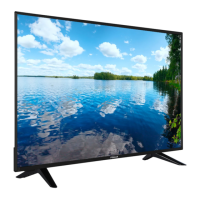
The Finlux 40-FFB-5620 is a remote-controlled colour television with a fully integrated digital terrestrial/cable TV (DVB-T2/C) tuner. It offers a wide range of functionalities for home entertainment and connectivity. The TV is designed for general household use but can also be used in public places.
Important Technical Specifications:
- TV Broadcasting: PAL BG/DK/II', SECAM BG/DK
- Receiving Channels: VHF (BAND I/III), UHF (BAND U), HYPERBAND
- Digital Reception: Fully integrated digital terrestrial-cable TV (DVB-T-C) (DVB-T2 compliant)
- Number of Preset Channels: 1000
- RF Aerial Input: 75 Ohm (unbalanced)
- Operating Voltage: 220-240V AC, 50Hz.
- Audio: DTS TruSurround HD
- Audio Output Power (WRMS.) (10% THD): 2 x 8
- Power Consumption (W): 75
- TV Dimensions DxLxH (with foot) (mm): 220 x 923 x 588
- TV Dimensions DxLxH (without foot) (mm): 59/91 x 923 x 549
- Display: 40”
- Operation Temperature and Humidity: 0ºC up to 40ºC, 85% humidity max
- Wireless LAN Transmitter Specifications:
- Frequency Ranges: 2400 - 2483.5 MHz (CH1-CH13), 5150 - 5250 MHz (CH36 - CH48), 5250 - 5350 MHz (CH52 - CH64), 5470 - 5725 MHz (CH100 - CH140)
- Max Output Power: < 100 mW (2.4 GHz), < 200 mW (5 GHz)
- Supported Video File Formats (USB): MPEG1/2, H.264, AVS, MVC, HEVC/H.265, WMV3, RV30/RV40, Motion JPEG. Resolutions up to 1080P@60fps - 50Mbps.
- Supported Picture File Formats (USB): JPEG (Baseline, Progressive), PNG (non-interlace, interlace), BMP. Resolutions up to 15360x8640 (JPEG Baseline).
- Supported Audio File Formats (USB): MPEG1/2 Layer1/2/3, AC3, EAC3, AAC, HEAAC, WMA, VORBIS, LPCM, IMA-ADPCM, MS-ADPCM, G711 A/mu-law, FLAC. Sample rates up to 96KHz.
- Supported Subtitle File Formats (USB): Internal (DVD Subtitle, DVB Subtitle, UTF-8 Plain Text, ASS, SSA, VobSub) and External (.srt, .ssa/.ass, .smi, .sub, .txt).
- Supported DVI Resolutions: Various resolutions from 640x400 to 1920x1080 at frequencies from 56Hz to 75Hz.
- AV and HDMI Signal Compatibility: Supports PAL, SECAM, NTSC4.43, NTSC3.58, RGB 50/60, 480i/p, 576i/p, 720p, 1080i/p at various frequencies.
Usage Features:
- Remote Control: The TV comes with a remote control for easy navigation through menus, channel changing, volume adjustment, and accessing various functions like Netflix, YouTube, EPG, Text, and Media Browser. Custom functions can be assigned to "My Buttons" on the remote.
- On-Screen Display (OSD) Menu System: Intuitive menu system for adjusting TV settings.
- Input Selection: Multiple HDMI, USB, Scart, VGA, YPbPr, and Side AV inputs for connecting external devices.
- USB Media Playback: Connect USB hard drives (2.5” and 3.5” with external power supply) or memory sticks to play photo, music, and video files. Supports FAT32 and NTFS disk formatting (recording not available on NTFS).
- Programme Recording & Timeshift: Record programmes to a connected USB disk (minimum 2 GB, USB 2.0 compatible). Timeshift function allows pausing live TV and resuming playback later.
- Connectivity:
- Wired Network (LAN): Connect to a modem/router via an Ethernet cable for internet access.
- Wireless Network (Wi-Fi): Built-in 802.11 a/b/g/n Wi-Fi support for wireless internet connection.
- Wireless Display: Stream video and sound content from mobile devices to the TV.
- Audio Video Sharing: Share photos, music, and videos from a media server on a home network (requires Nero MediaHome software on PC).
- Connecting Other Wireless Devices: Supports pairing with other short-range wireless devices like audio devices and remote controllers.
- Internet Portal & Browser: Access web-based applications and browse the internet.
- HbbTV System: Hybrid Broadcast Broadband TV combines broadcast and broadband services, offering interactive advertising, VOD, EPG, and social networking.
- Smart Center Application: A mobile app (iOS/Android) that allows streaming TV content, launching portal applications, using the mobile device as a remote control, and sharing media files. Features include "FollowMe TV" for streaming current broadcasts to mobile devices, "Media Share" for sharing media files, and "Voice Recognition" (Android only) for voice commands.
- Parental Settings: Menu Lock, Maturity Lock, Child Lock, and Internet Lock to restrict content viewing and menu access.
- Electronic Programme Guide (EPG): View broadcast schedules with Timeline, List, and Now/Next layouts.
- Teletext Services: Access teletext pages.
- Sleep Timer: Automatic power down after a set time.
- Automatic Power Down: TV automatically goes into standby after 5 minutes of no signal or inactivity.
- Custom Boot Up Logo: Personalize the TV's boot-up screen with a favorite image (16:9 aspect ratio, .jpg/.jpeg/.jpe, max 300KB).
- CEC (Consumer Electronics Control) & CEC RC Passthrough: Control CEC-enabled devices connected via HDMI using the TV's remote.
- System Audio Control: Use an Audio Amplifier/Receiver with the TV, controlling volume via the TV remote.
Maintenance Features:
- Software Upgrade: The TV can automatically find and update its firmware via broadcast signal or the internet. Manual search for upgrades is also available.
- Troubleshooting & Tips: Provides guidance for common issues like no power, poor picture, no sound, remote control not working, input sources not selectable, and recording unavailability/slow USB.
- Environmental Information: Designed to be environment-friendly with energy-saving options (Minimum, Medium, Maximum, Auto, Screen Off, Off) to reduce power consumption.
- Disposal Information: Instructions for proper disposal of old equipment and batteries in accordance with European Union regulations.
- Safety Information: Detailed warnings and precautions regarding electrical shock, battery handling, placement, ventilation, and wall mounting. Emphasizes the importance of reading instructions fully before installation or operation.

 Need help?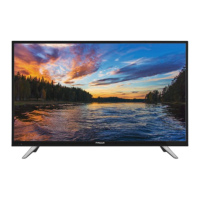



 To Next Page
 General