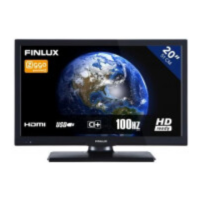
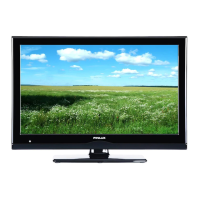
This document describes the FINLUX 65-FUB-8060 colour television, a large-screen TV designed for home and general use, including public spaces. It supports various broadcasting standards and offers a range of smart features.
Function Description
The FINLUX 65-FUB-8060 is a farge-tv (colour television) that supports Ultra HD (4K) resolution, offering a display of 3840 x 2160 pixels. It includes a fully integrated digital terrestrial, cable, and satellite TV tuner (DVB-T-C-S, DVB-S2 compliant). The TV features an Electronic Programme Guide (EPG) for viewing broadcast schedules and setting recordings.
Key features include:
- Recording a Programme: The TV supports recording programmes to a connected USB hard disk drive. It allows for scheduled recordings, instant recordings, and timeshift recording, enabling users to pause live TV. Recorded programmes are saved in 4GB partitions and can only be played back on the TV itself.
- Media Playback via USB Input: Users can connect USB memory sticks or external hard disk drives (FAT32 and NTFS formatted) to play various media files, including videos, pictures, and music.
- Smart Center: A mobile application (iOS and Android) allows users to stream live shows, launch portal applications, use their tablet as a remote control, and share media files with the TV. Features like FollowMe TV enable streaming TV content to a mobile device within the router's range.
- Internet Portal & Browser: The TV provides access to an internet portal with various applications and a web browser for general internet surfing. An active broadband connection is required for these features.
- CEC (Consumer Electronics Control) & CEC RC Passthrough: This function allows controlling CEC-enabled devices connected via HDMI ports using the TV's remote control. It also supports ARC (Audio Return Channel) for audio output to an external sound system.
- Parental Settings: Options to restrict viewing of certain programmes, channels, and menu access using a PIN number.
- Energy Saving: Multiple modes (Custom, Minimum, Medium, Maximum, Auto, Screen Off, Off) are available to reduce power consumption.
Important Technical Specifications
- Display: 65-inch, 3840x2160 pixels (Ultra HD/4K).
- TV Broadcasting: PAL BG/I/DK/LL', SECAM BG/DK.
- Receiving Channels: VHF (BAND I/III) - UHF (BAND U) - HYPERBAND.
- Digital Reception: Fully integrated digital terrestrial-cable-satellite TV (DVB-T-C-S) (DVB-S2 compliant).
- Number of Preset Channels: 10,000.
- Audio: German+Nicam Stereo, Audio Output Power (WRMS.) (10% THD) 2 x 12W.
- Power Consumption (W): 200W.
- TV Dimensions (DxLxH):
- With foot: 343 x 1459 x 899 mm.
- Without foot: 72 x 1459 x 841 mm.
- Operation Temperature and Humidity: 0°C up to 40°C, 85% humidity max.
- Connectivity:
- HDMI inputs (compatible with HDMI 1.4 and 2.0 for 4K content).
- USB inputs (USB 2.0 and optional USB 3.0).
- SCART, YPbPr, Back AV, Audio In, SPDIF (Optical Out), Headphone/Lineout, CI slot, LAN (Ethernet), Subwoofer Out.
- Wireless LAN (IEEE 802.11a/b/g/n) with simultaneous 2.4 and 5 GHz bands.
- Supported Video File Formats (USB Mode): MPEG1/2, MPEG4, XviD, Sorenson H.263, H.263, H.264, Motion JPEG, VP8, HEVC/H.265, VP9.
- Supported Picture File Formats (USB Mode): JPEG (Base-line, Progressive), PNG (non-interlace), BMP (interlace).
- Supported Audio File Formats (USB Mode): MPEG1/2 Layer1/2/3, AC3, EAC3, AAC, HEAAC, WMA, G711 A/mu-law, LBR (cook), FLAC.
- Supported DVI Resolutions: Various resolutions from 640x480 to 1600x900 at different frequencies.
- HDMI Signal Compatibility: Supports various resolutions and refresh rates, including 1080p (24Hz, 25Hz, 30Hz, 50Hz, 60Hz), 3840x2160p (24Hz, 25Hz, 30Hz, 50Hz, 60Hz), and 4096x2160p (24Hz, 25Hz, 30Hz, 50Hz, 60Hz).
Usage Features
- First Time Installation: Guides users through language selection, broadcast type setup (Digital Aerial, Digital Cable, Satellite, Analogue), and network settings.
- Remote Control: Comprehensive remote with dedicated buttons for Netflix, YouTube, media playback, EPG, text-TV, and menu navigation.
- TV Control & Operation: Basic controls on the TV itself for volume, programme/source selection, and standby.
- Channel Management: Users can edit the channel list, create favourite lists, and filter channels.
- Electronic Programme Guide (EPG): Provides different schedule layouts (Timeline, List, Now/Next) with options to zoom, filter by genre, search, and record programmes.
- Teletext Services: Access to teletext information.
- Picture and Sound Settings: Extensive menus for adjusting picture modes (Cinema, Game, Sports, Dynamic, Natural), contrast, brightness, sharpness, colour, energy saving, backlight, dynamic contrast, noise reduction, colour temperature, white point, picture zoom, film mode, skin tone, colour shift, and HDMI full range. Sound settings include volume, equalizer, balance, headphone/lineout, sound mode, AVL, dynamic bass, surround sound, and digital out.
- Network/Internet Settings: Configuration for wired and wireless connections, including Internet Speed Test and Advanced Settings for IP and DNS.
- Accessibility: Hard of Hearing and Audio Description options.
- Software Upgrade: Allows updating the TV's firmware via broadcast or USB.
- FollowMe TV: Streams TV content to a mobile device.
- Smart Remote Feature: Use a mobile device as a remote control, including voice recognition for Android devices.
- Media Share Page: Share media files from a mobile device to the TV.
Maintenance Features
- Safety Information: Emphasizes precautions against electric shock, proper ventilation, handling of power cords, and battery safety. It also advises against exposing the TV to liquids, direct sunlight, or open flames.
- Troubleshooting & Tips: Provides solutions for common issues like no signal, poor picture, no sound, remote control not working, and recording unavailability.
- Software Updates: Regular software updates ensure the TV has the latest firmware, accessible through the System>Settings>More menu.
- Factory Reset: The "First time installation" option in the Installation Menu allows resetting the TV to factory settings, deleting all stored channels and settings.
- Battery Replacement: Instructions for inserting and replacing AAA batteries in the remote control.
- Cleaning: General advice for cleaning the TV, though specific instructions are not detailed in the provided content.
- Environmental Information: The TV is designed to be environmentally friendly, with energy-saving options to reduce power consumption. Proper disposal of the device and batteries is encouraged.

 Need help?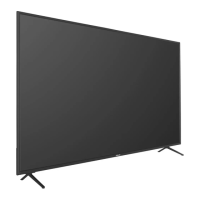



 To Next Page
 General