Page 2
BB302 MB50 RCTG MU0407
REMOTE CONTROL TROUBLESHOOTING
GUIDE (MODELS BB302 AND MB50)
STEP 1
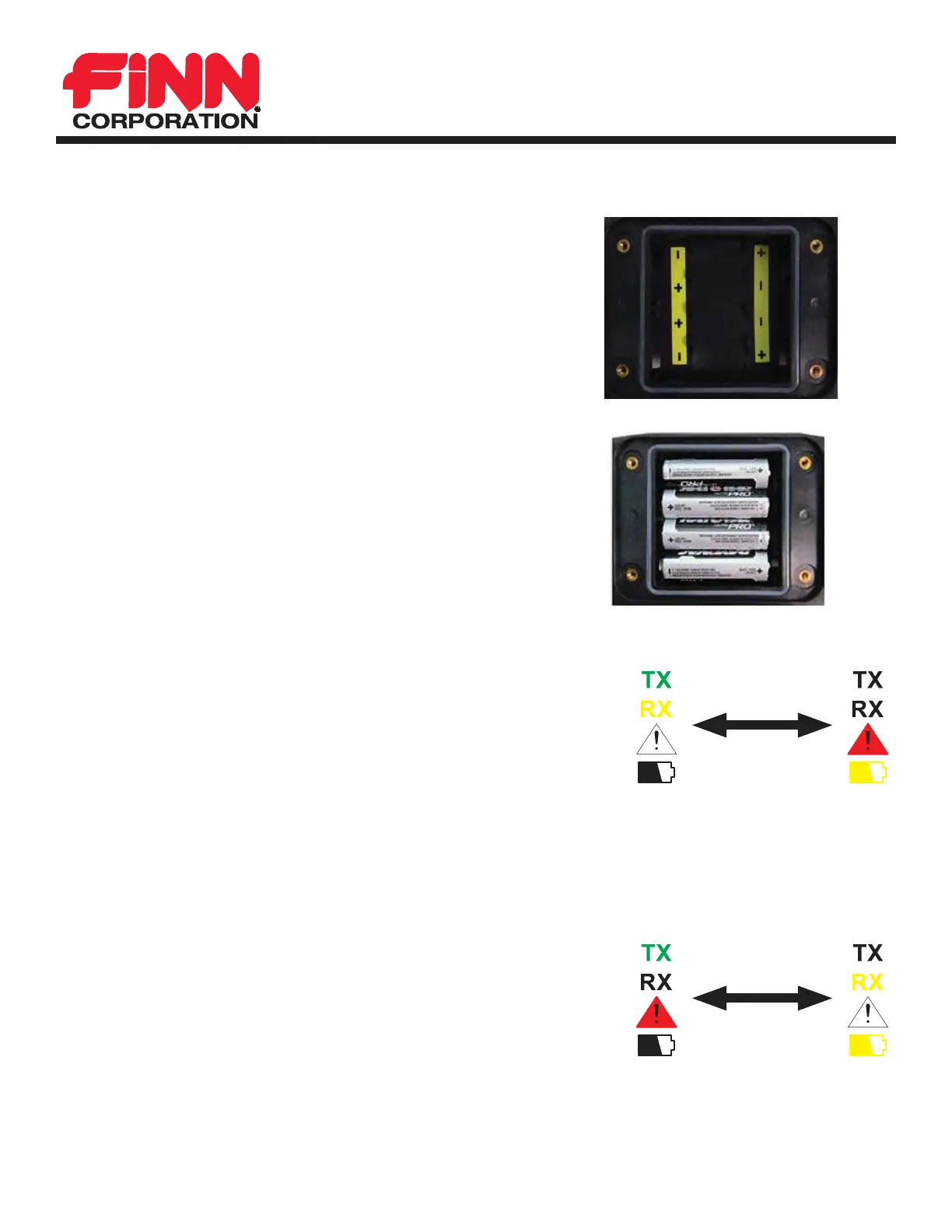
If none of the LEDs illuminate at all, check the batteries
fi rst.
Install new batteries. Pay attention to the diagram inside
the battery compartment.
Batteries ARE NOT arranged in typical “up, down, up,
down” order.
If lights do not come on after replacing batteries and
restarting the remote, return the remote for service.
Troubleshoot Remote
STEP 2
Remote has power, but LEDs are fl ashing in repeating pattern.
TX and RX fl ash together fi rst; then Error Light and Battery Light
fl ash together.
Holding the green power button on the back of the remote too long
can cause this to happen. Let go of the green power button and see
if the problem goes away.
This error can also indicate a switch is stuck. Check all switches on the remote are in the center position.
Move all switches up and down and release.
If the problem continues after checking all switches, return the remote for service.
STEP 3
Remote has power, but LEDs are fl ashing in repeating pattern.
TX and Error Light fl ash together fi rst; then RX and Battery Light
fl ash together.
This error indicates the E-Stop button on the remote is not in the “up”
position. Release E-Stop by rotating red button gently clockwise. If
button “pops” up, retry powering up the remote (
First Step - Turn the
Remote On).
If the problem continues after E-Stop is in the “up” position, return the remote for service.



 To Next Page