EasyManua.ls Logo

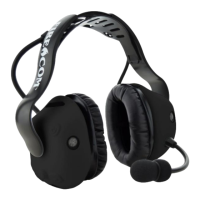
Fire Com UHW50X - User Manual

Default Icon
26 pages
Print Icon
To Next Page IconTo Next Page
Loading...
FHW50X and UHW50X headsets
DECT7, Bluetooth, and Electronic Headsets
Manual
7340 SW Durham Road, Portland, OR 97224 USA
Phone: 800-527-0555, 503-684-6647, Fax 503-620-2943
www.firecom.com e-mail: service@firecom.com
Question and Answer IconNeed help?

Do you have a question about the Fire Com UHW50X and is the answer not in the manual?

Summary

Features

Configuring the Headset

Fitting

Charging

Battery Replacement

Settings & Operation

Advanced Menu

Radio & Intercom Function

Configuration options for PTT and intercom modes to suit different communication needs.

Mic Sensitivity

Configuration of microphone sensitivity and noise gate settings for optimal audio pickup.

Wireless Bluetooth

To create a new Bluetooth pairing

Steps to establish a new wireless connection between the headset and a Bluetooth device.

Wireless DECT7

Pairing a DECT7 Headset

Information on how DECT7 headsets automatically pair with their base stations.

To Create a New DECT Pairing

Step-by-step guide to establish a new wireless DECT pairing connection.

PC Programming

Installation of Sonetics Configurator Software for Windows

Steps for downloading and installing the software required for headset configuration.

Care and Maintenance

Troubleshooting

Service Contact

Contact information for technical support and assistance with product issues.

Wireless Bluetooth

Solutions for disconnects, pairing difficulties, and intermittent connectivity issues.

Wireless DECT

Troubleshooting steps for DECT wireless disconnections and pairing problems.

No audio communication and;or PTT from or to the base

Steps to resolve issues with audio transmission or PTT functionality with the base.

Poor quality audio, low or distorted received or transmitted audio

Guidance on diagnosing and fixing audio quality problems, including distortion.

Specifications

Headset Specifications

Detailed technical specifications including weights, power, environmental, and IP ratings.

Bluetooth Specifications

DECT Specifications

Important Safety Information

General Warning for Sensitive Electronic Devices

Precautions regarding electromagnetic interference with sensitive electronic equipment.

Rechargeable Battery Information

Important NRR Information

Firecom Standard Limited Warranty

Fire Com UHW50X Specifications

General IconGeneral
BrandFire Com
ModelUHW50X
CategoryHeadsets
LanguageEnglish

Related product manuals