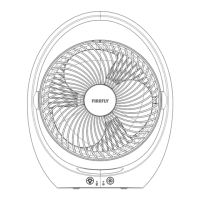
OPERATING AND CHARGING INSTRUCTIONS
Before cleaning, repairs and maintenance, make sure to turn off the power and unplug the unit from
the power supply.
• Use a soft and damp cloth to wipe the external surface of the unit. Do not use excessive water or
abrasive material during cleaning.
• Do not use gasoline, benzine, thinner, harsh cleaners, etc. on and/or in the unit while cleaning as they
will damage the unit.
• Do not stick any foreign objects inside the unit.
• Never use alcohol or other solvents.
CLEANING REMINDERS
For repairs and maintenance, consider all the following details:
• To maximize the fan air flow, make sure to clean the fan grille occasionally.
• Do not put the product in unstable, flammable and wet area.
• Avoid exposing the product to heavy fumes or smoke.
• Do not immerse in water or any other liquid. This is a non-water resistant product.
• Do not alter or modify the unit, the supplier will not be responsible for any personal injury as a result of
item misuse.
• To protect the validity of the warranty, do not use the product other than its intended purpose.
• Do not use the device while charging to prolong battery life.
UNIT STORAGE
Remove the plug, pack the unit properly to prevent dust from entering the body. Store it in dry and
well ventilated place.
USAGE AND MAINTENANCE
1. For fan operation, press the fan switch to operate the fan. The fan will operate at the following
sequence every time the fan switch is pressed. Low → Mid → High → OFF. Pressing it again will
make it return to its original cycle.
2. When charging the unit, use the supplied USB cable, insert the micro USB plug to the USB charging
port and attach the other end of the USB cable to a suitable 5VDC adaptor. It is recommended to use
a 5VDC/2A adapter. Check the charging indicator to know the charging status:
STEADY RED - unit is charging,
STEADY GREEN - fully charged
3


 To Next Page
 Loading...