
 Need help?
Do you have a question about the Firelite 300 Series and is the answer not in the manual?
Lists discontinued 300 Series addressable devices compatible with the FACP.
Details newer addressable devices, compatibility, addressing, and operational indicators.
FACP software feature enables monitoring and printout of individual addressable smoke detector sensitivity.
Explains how to access detector data, print sensitivity, and interpret chamber readings.
This document introduces new addressable devices and a software feature for Fire Alarm Control Panels (FACPs) that allows monitoring and printing of sensitivity for each addressable smoke detector.
The document outlines two categories of addressable devices: Legacy and New.
These devices, though compatible with all FACP versions, have been discontinued and are no longer available for order. They include:
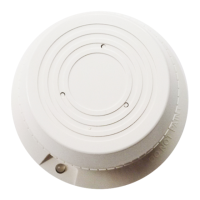
These newer devices incorporate the latest technology and are compatible with all FACP versions. Each device can be assigned an address from 001 to 099. It is crucial not to set the address rotary switches higher than 099, as the FACP will not recognize such addresses. A blinking LED on each detector and monitor module indicates communication with the control panel. Both legacy and new addressable devices can be used together on the same SLC loop.
The new devices include:
The FACP software has been enhanced to include a feature that allows the control panel to monitor and print the sensitivity of each addressable smoke detector in the system. This eliminates the need for a service technician to physically connect a test device to each smoke detector in the field, streamlining maintenance and testing procedures.
The ability of an addressable smoke detector to detect smoke can degrade over time due to component deterioration, environmental contaminants, and dirt. The FACP now allows for the sensitivity data of each addressable smoke detector to be printed.
To access this feature:
1 = PROGRAMMING
2=RD STATUS 3=RD BAT
2 to enter Read Status mode. The screen will then display:DISPLAY POINT=*/#,AA
HISTORY=1 PRINT=2
2 to access the Print function. The screen will display:PRN PRGRAM/STATUS=1
HISTORY=2 DET DATA=3
3 for DET DATA while viewing the Print screen. An optional printer connected to the FACP will generate a printout similar to the following:********************DETECTOR DATA********************
DEVICE TYPE CHAMBER READING TIME/DATE
SMOKE DET P01 1420 03:52P Fri 01/19/01
SMOKE DET P02 1362 03:52P Fri 01/19/01
SMOKE DET I03 1452 03:52P Fri 01/19/01
SMOKE DET I04 1350 03:52P Fri 01/19/01
*****************************************************
The "Chamber Reading" value displayed in the printout indicates the detector's sensitivity. This reading should fall within specific ranges for different smoke detector types:
If a smoke detector's Chamber Reading is outside its acceptable range, the recommended action is to clean the detector and recheck the Chamber Reading. If the reading remains outside the acceptable range after cleaning, the detector should be replaced immediately.
For more detailed information on accessing Read Status mode and interpreting smoke detector addresses, refer to the Programming section of the Fire Alarm Control Panel manual.
Note: If a printer is not available, the HyperTerminal feature (found in the Windows® program Accessories folder on most personal computers) can be used to store the Detector Data information. Any settings configured in HyperTerminal must match the printer settings detailed in the FACP manual. Refer to the Windows® manual for information on using HyperTerminal.
 General
| Operating Voltage | 24 VDC |
|---|---|
| Operating Temperature | 32°F to 120°F (0°C to 49°C) |
| Color | Red |
| Battery Capacity | 7 Ah |
| Humidity Range | 10% to 93% non-condensing |
| Certifications | UL, FM |

 To Next Page