
 Need help?
Do you have a question about the Firich Enterprise PP-1635 and is the answer not in the manual?
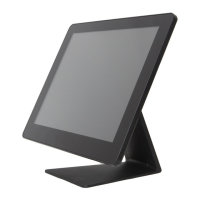
Introduction to the PP-1635 Aer PPC model, highlighting its design and versatility.
Details the external components and indicators of the PP-1635 Aer PPC.
Provides the physical dimensions (height, width, depth) of the PP-1635 Aer PPC.
Illustrates the tilting capability of the PP-1635 Aer PPC stand, showing a 90-degree range.
Step-by-step guide for installing a 2.5-inch SATA storage device (HDD/SSD).
Instructions for installing optional ID devices like MSR, iButton, RFID, or FingerPrint.
Explains how to configure COM port voltage settings (5V or 12V) within the BIOS.
Guide for connecting and configuring the integrated VFD or LCM customer display.
Explains voltage and pin assignment for cash drawers and provides usage parameters.
Outlines the recommended order for installing system drivers and utilities.
Step-by-step guide for installing Intel J1900 Chipset Utilities for Windows 7.
Instructions for installing the Realtek Audio Driver for Windows 7.
Guide for installing the Realtek LAN Driver for Windows 7.
Steps to install the Intel Graphics Driver for Windows 7.
Guide for installing the Intel TXE (Trusted Execution Engine) Driver for Windows 7.
Instructions for installing the Intel TXE Update for Windows 7.
Steps to install the USB 3.0 driver for Windows 7.
Guide for installing the Wireless LAN driver for Windows.
Provides steps to diagnose and resolve issues with the touch panel functionality.
Offers solutions for problems related to the On-Screen Display (OSD) buttons.
Steps to resolve problems where the Hard Disk Drive or Solid State Drive is not detected.
Guide to fix issues with the Magnetic Stripe Reader (MSR).
Steps to diagnose and fix problems with the Local Area Network (LAN).
Steps to resolve problems with COM ports.
Guide to fix problems with the cash drawer port.
 General
| Touch Technology | Projected Capacitive |
|---|---|
| Touch Points | 10 points |
| Video Input | VGA, HDMI |
| Aspect Ratio | 16:9 |
| Storage Temperature | -20°C to 60°C |
| Weight | 2.5 kg |
| Display Size | 15.6 inch |
| Brightness | 250 cd/m² |
| Power Supply | DC 12V |
| Input Voltage | 100-240V AC |

 To Next Page