Before Starting
The First Data FD35 has a hard-wired power and signal cable
with a female mini-DIN connector. Connection to a PC or a
First Data FD terminal requires an adapter cable with a male
mini-DIN connector at one end and a USB connector at the other.
Connecting the Device
J Make sure the terminal is powered off
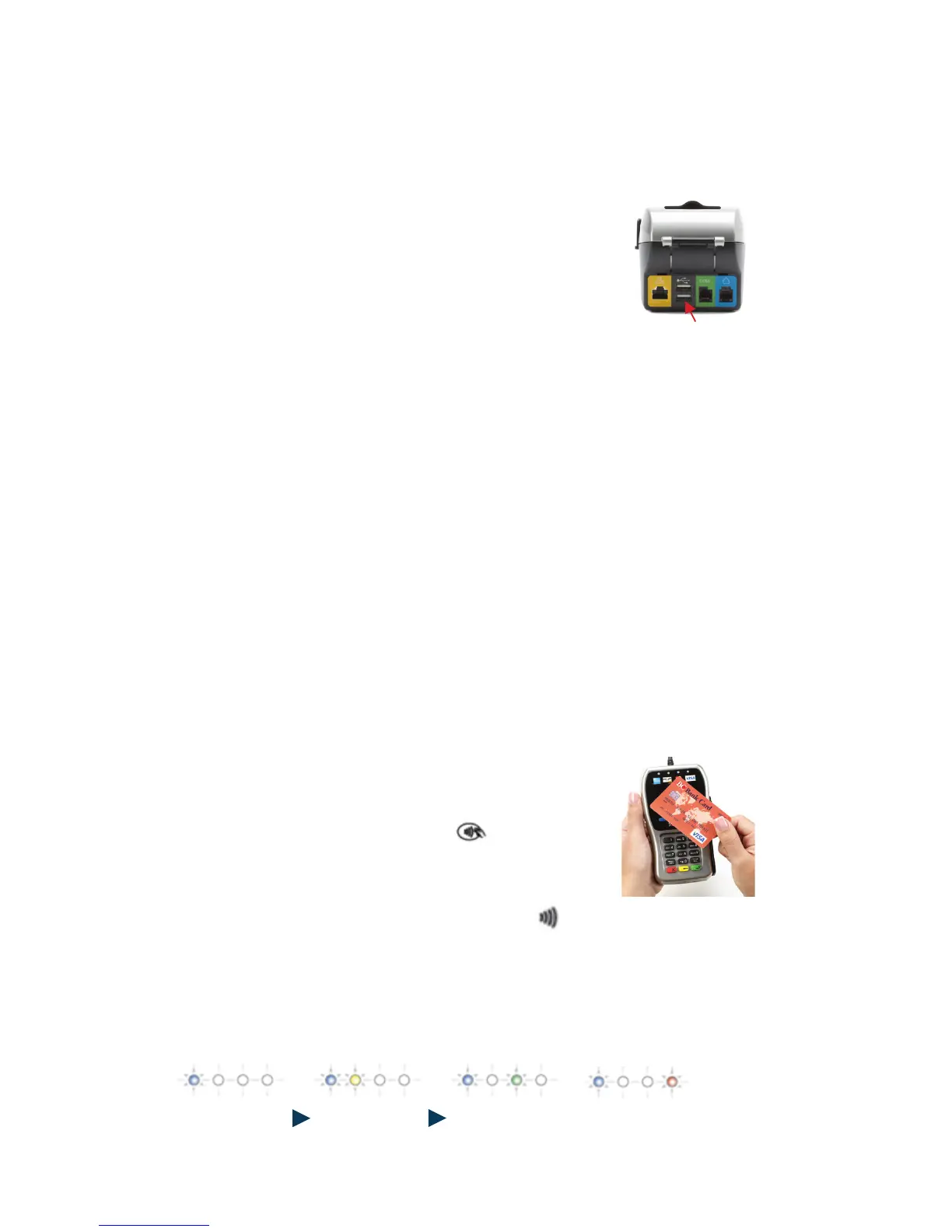
J Insert the interconnect cable’s USB plug
into the USB port located on the back of
the terminal
J Connect the opposite end of the interconnect
cable to the cable that is attached to the FD35
J Once the cables are fully connected, power up
the terminal
Need Additional Assistance?
Please contact the Merchant Services Group. For online customer
service support 24/7/365, log onto MerchantInsider.com
Getting Ready
The unit automatically starts up when connected to the
terminal/PC. It will display a status message until initialized
by the terminal or PC.
For Contactless Transactions
Only contactless-equipped cards/devices,
which are marked with this icon can make
contactless transactions with the FD35
The cardholder will tap his or her contactless
card/device against the contactless icon
located on the FD35 (as seen in the image to
the right)
Visual and audio prompts will indicate each step of the
payment process
Page3:
GettingReady
TheunitautomaticallystartsupwhenconnectedtothePC/terminal.Itwilldisplayastatusmessage
untilinitializedbytheterminalorPC.
UsingtheDevice
Forcontactlesstransactions:
• Onlycontactlessequippedcards/devices,whicharemarkedwiththisicon canmake
contactlesstransactionswiththeFD35
• Thecardholderwilltaphisorhercontactlesscard/deviceagainstthecontactlessicon
locatedontheFD35(asseenintheimagetotheright)
• Visualandaudiopromptswillindicateeachstepofthepaymentprocess
(NOTE:InsertphotoofcardbeingwavedovertheFD35)
Page3:
GettingReady
TheunitautomaticallystartsupwhenconnectedtothePC/terminal.Itwilldisplayastatusmessage
untilinitializedbytheterminalorPC.
UsingtheDevice
Forcontactlesstransactions:
• Onlycontactlessequippedcards/devices,whicharemarkedwiththisicon canmake
contactlesstransactionswiththeFD35
• Thecardholderwilltaphisorhercontactlesscard/deviceagainstthecontactlessicon
locatedontheFD35(asseenintheimagetotheright)
• Visualandaudiopromptswillindicateeachstepofthepaymentprocess
(NOTE:InsertphotoofcardbeingwavedovertheFD35)



 To Next Page