Need help?
Do you have a question about the First Data FD130 and is the answer not in the manual?
Lists the items included with the FD130 Terminal, such as the terminal, paper roll, cables, and power supply.
Lists necessary equipment for connecting the terminal via Cable, DSL, or Dial-up.
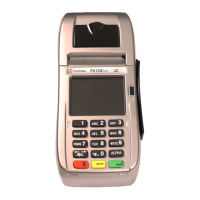
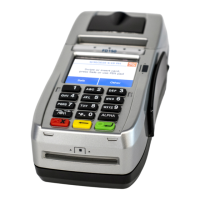
Details the back ports: Phone (blue), USB (gray), Serial (green), and Ethernet (yellow).
Notes two additional ports found on the bottom cover: a USB port and a mini USB port.
Explains how to connect the power supply to a wall outlet.
Advises on placing the terminal on a desk or tabletop, avoiding environmental hazards.
Provides instructions on opening the printer cover and loading a new paper roll.
Illustrates connecting the terminal for DSL internet via a router and modem.
Illustrates connecting the terminal for Cable internet via a router and modem.
Illustrates connecting the terminal for dial-up using a dedicated phone line.
Details adapter specs (Input/Output), operating temperature, and battery type (CR2032).
Warns about battery explosion risk, using shielded cables, and potential radio interference.
Instructs on selecting transaction type and swiping cards correctly for processing.
Guides on inserting a smart card into the reader, ensuring full insertion.
Explains how to tap contactless cards or devices against the terminal's icon.
Details using the 15 keys for selecting transactions and entering data, including letters.
Describes the touchscreen's ease of use for selecting functions and navigating menus.
Explains compliance with FCC rules, REN, and connection requirements to the telephone network.
States compliance as a Class A digital device and potential for radio interference.
 General
| Power Supply | External power supply |
|---|---|
| Connectivity | Ethernet, USB |
| Card Reader | EMV |
| Printer | Thermal printer |
| Weight | Approx. 500g |
| Compliance | EMV |
| Display | Graphical LCD with backlight |
| Security | PCI PTS 3.0 approved |


 To Next Page