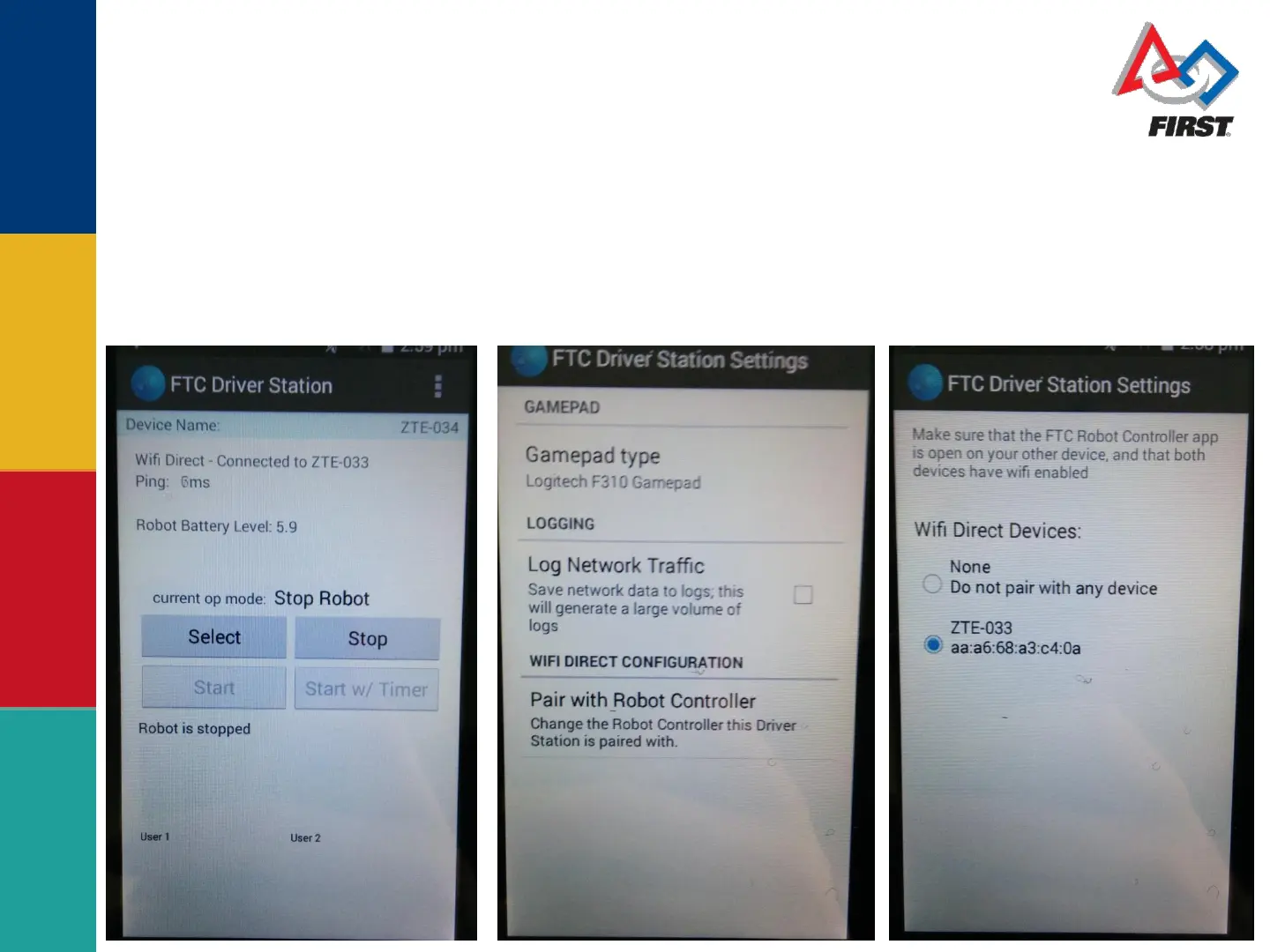
On the driver station, press the three dots. Then select
setting. Then select pair with robot controller. Next
choose your robot controller by name. Lastly, press the
back arrow at the bottom of the phone repeatedly until
the screen is back to the main driver station page.



 To Next Page